


Overview
Learn how to drill down on Emailgistics metrics and gain full picture insights at the message or conversation level. The drill-down functionality allows managers, administrators, and report users to move from high-level data summaries to the specific message details that contribute to performance metrics.
Where Drill Down is Available
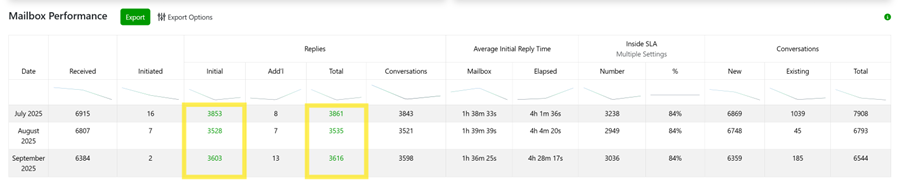
The option to drill down on data is available in the following Emailgistics reports:
Mailbox Reports
- Mailbox Performance
- Mailbox Closed Performance
- Bucketed Mailbox Performance
- Mailbox Tag Performance
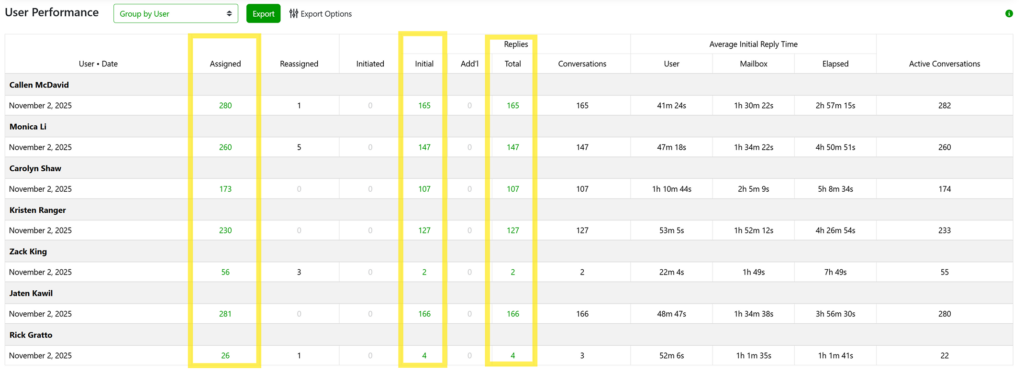
User Reports
- User Performance
- User Closed Performance
How Drill Downs Work
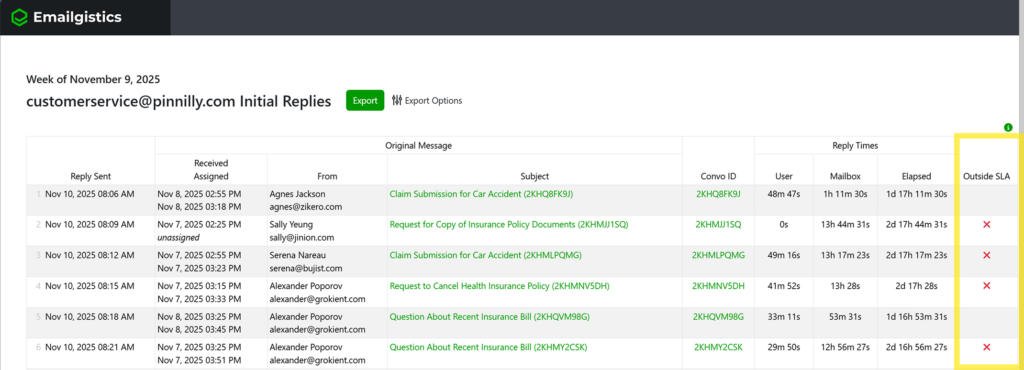
Within each supported report, some columns will display clickable numbers highlighted in green. These represent counts of messages or actions tied to that metric. When clicked, a new browser tab opens displaying the list of messages related to that number.
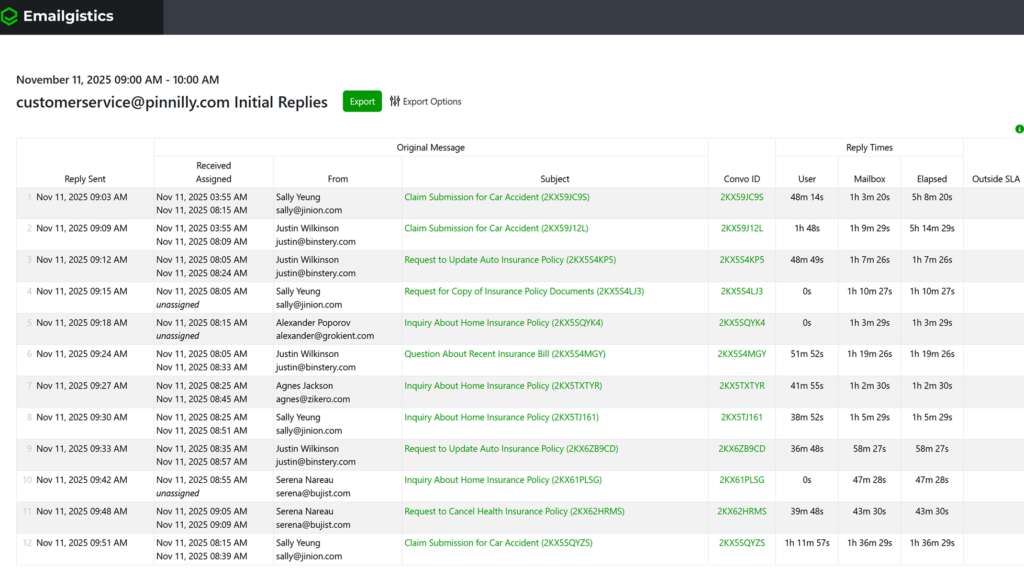
From this message list, you can click on either the Subject line or the Conversation ID to drill down further into that specific message or conversation. This provides deeper insight into what occurred within that particular message thread.
Drill Down Views by Report Type
Depending on the report you are drilling into, you will see slightly different data sets:
Mailbox Performance Reports (Reply Data)
Show reply-level detail including Received, Assigned, From, Subject, Convo ID, and Reply Times (User, Mailbox, Elapsed, and Outside SLA).
Closed Reports
Display close-level data with columns such as Received, Assigned, From, Subject, Convo ID, and Close Times (User, Mailbox, Elapsed, and Outside SLA).

User Reports
Provide similar data to mailbox reports but filtered by the user assigned to the message. This allows managers to evaluate workload and response efficiency for each team member.

Message-Level Details
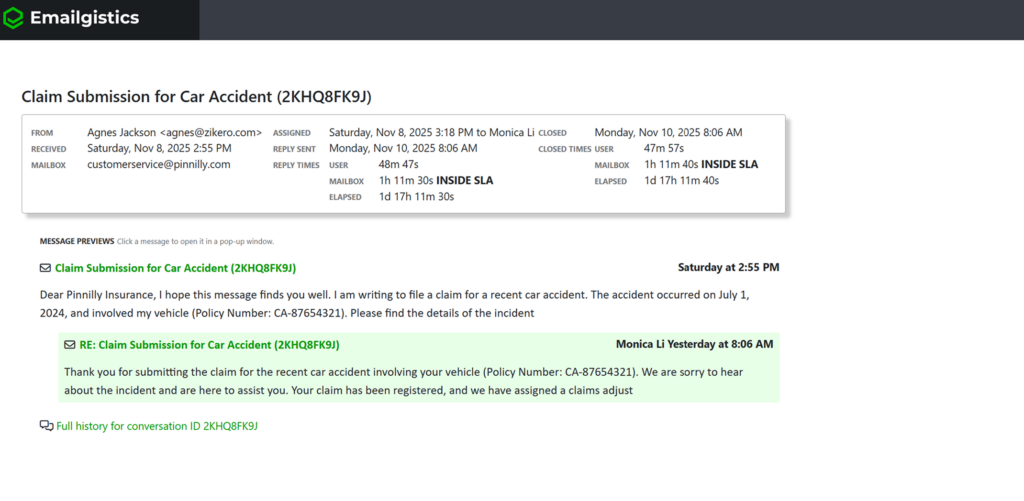
Clicking the Subject line in the message list opens the message details view, displaying complete message-specific metrics. This includes From, Received, Assigned, Reply Sent, Closed, and SLA time comparisons for both reply and close events.
Below the summary, you will also see message previews showing the full conversation history for that email thread. This allows for a complete audit of what occurred in the exchange, including timestamps, replies, and which user handled it.
Why Drill Downs Matter
Drilling down on data enables users to connect performance metrics to real messages. This helps managers and administrators understand the context behind response times, identify workflow issues, and validate SLA performance. It also supports coaching and quality reviews by allowing visibility into specific interactions.
If you have any questions or need any help on Emailgistics reporting Drill Downs please reach out to [email protected].