


Emailgistics for Travel & Hospitality
Every guest email owned and on time
Bookings, check-in questions and last-minute changes land in shared mailboxes. Emailgistics gives every email one owner, answers urgent changes first and keeps replies consistent, inside Outlook.
-
10,000+
people use Emailgistics
-
400+
organizations rely on it
-
4.7/5
rating on G2
-
< 1 hour
to go live, no migration
How do hospitality teams manage shared mailboxes?
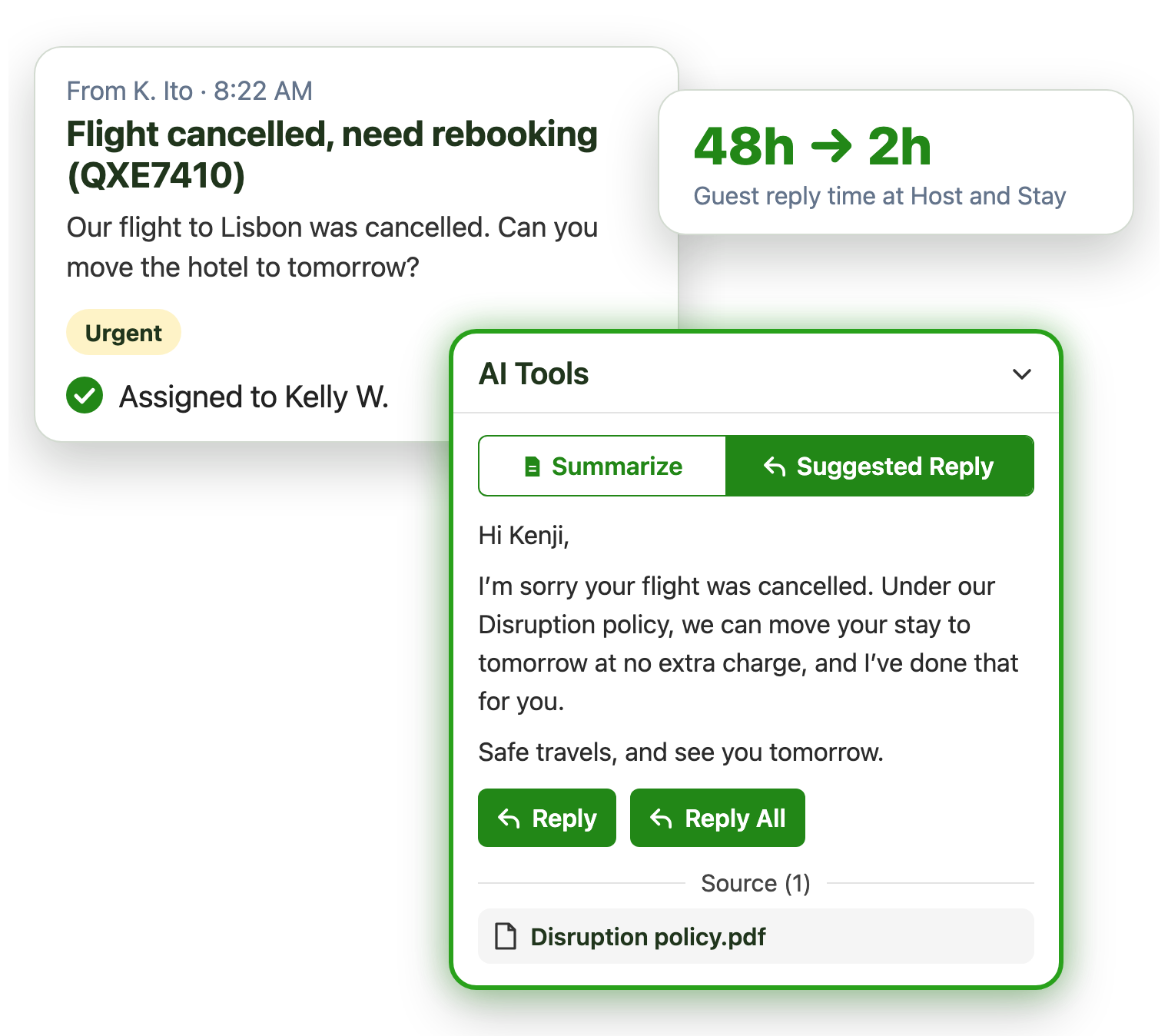
Guest email spikes with every disruption, urgent changes wait behind routine questions, and answers vary by agent. Emailgistics assigns every email automatically, alerts managers when urgent changes wait and reports on reply times. AI drafts replies from your own policies, and shared templates keep every answer consistent, inside Outlook.
-
Guests
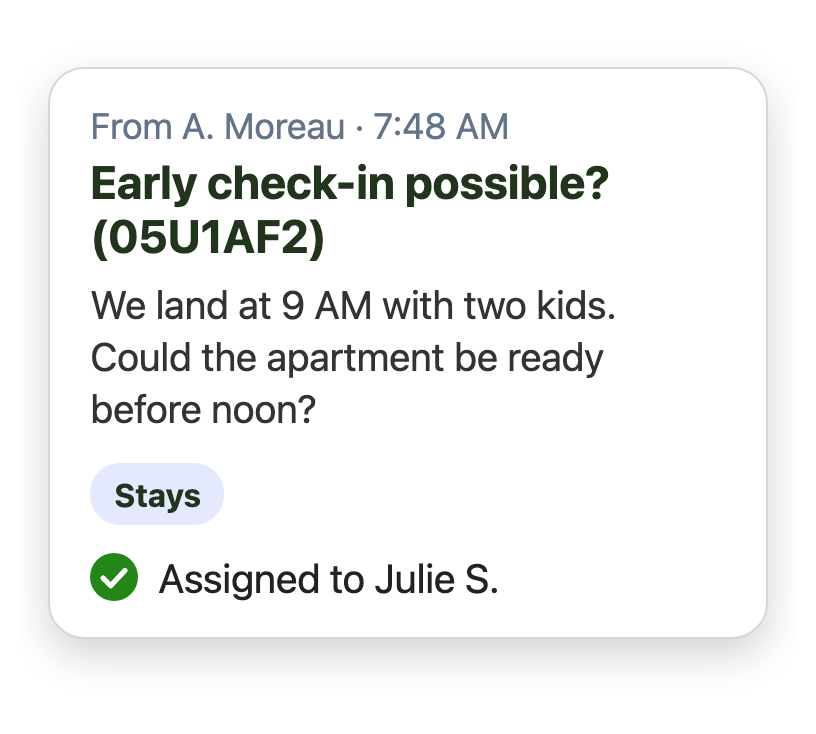
Guest questions each get one owner
-
Groups
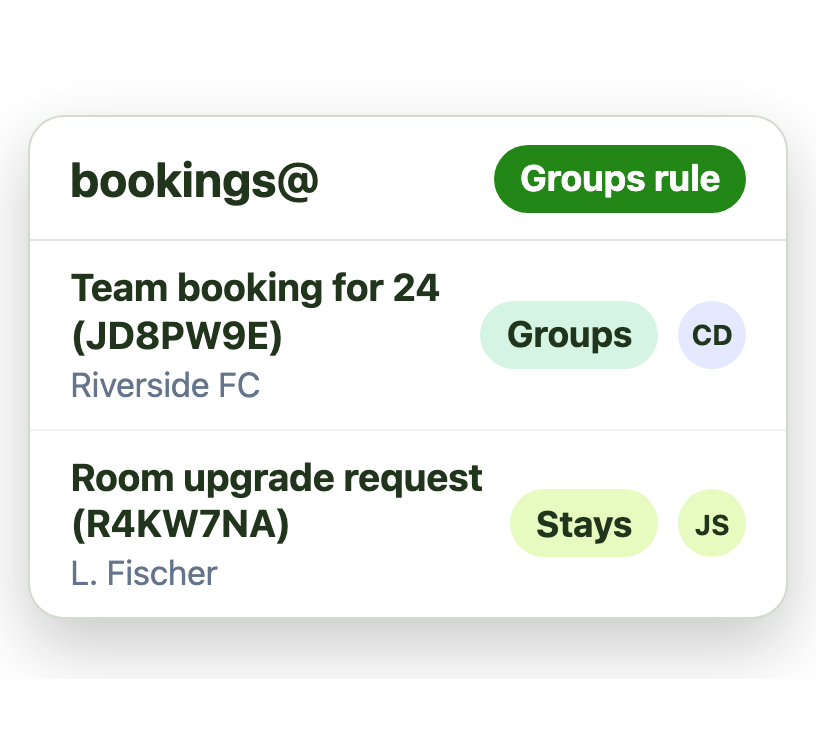
A rule routes group bookings
-
Disruptions
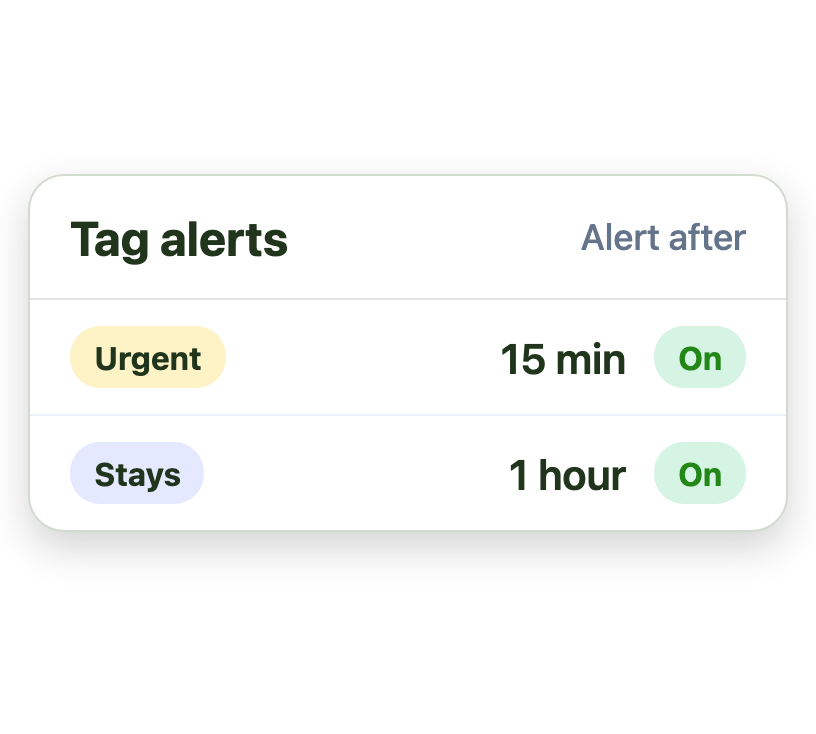
Urgent changes get the fastest alert
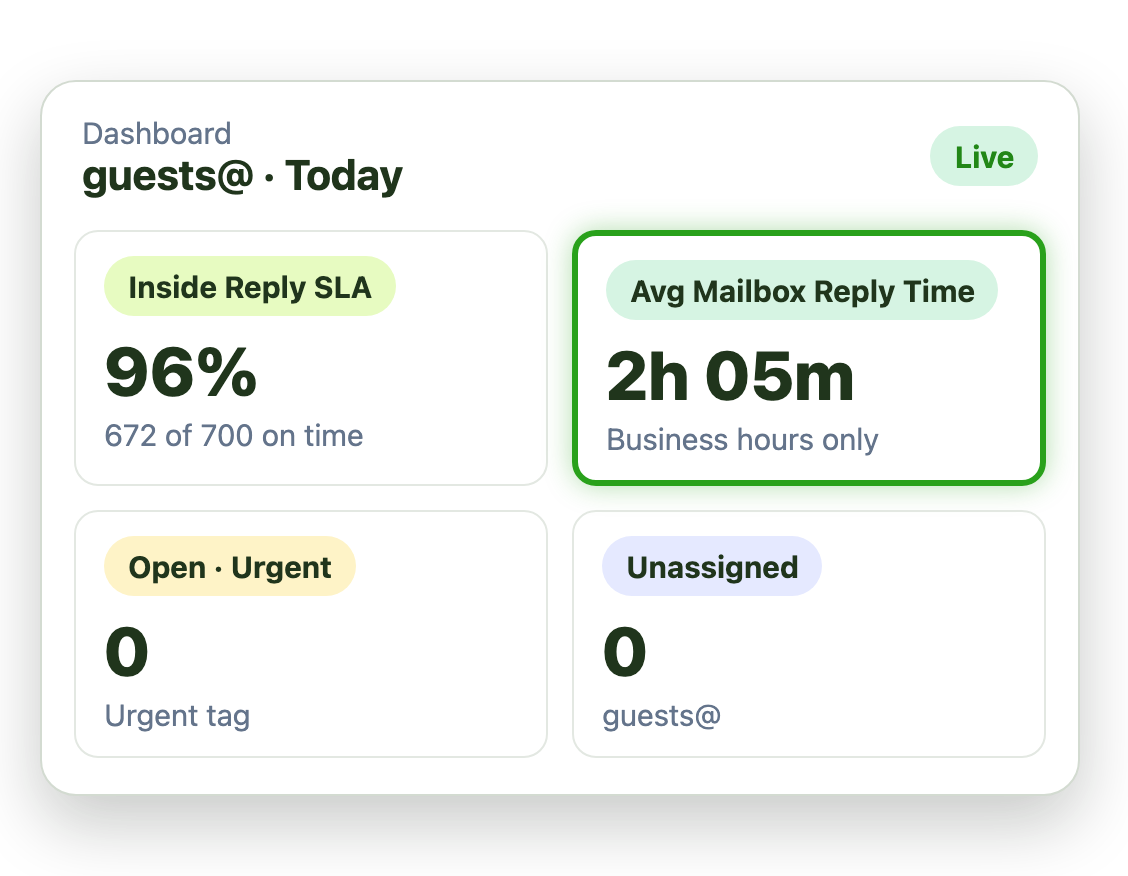
Go from days to hours on guest replies
When hundreds of guest emails arrive a day, replies slip to days. One owner per email brings them back to hours:
- Every guest email assigned on arrival
- Alerts when a guest waits too long
- A real-time dashboard managers can watch
Handle disruptions without dropping the guest
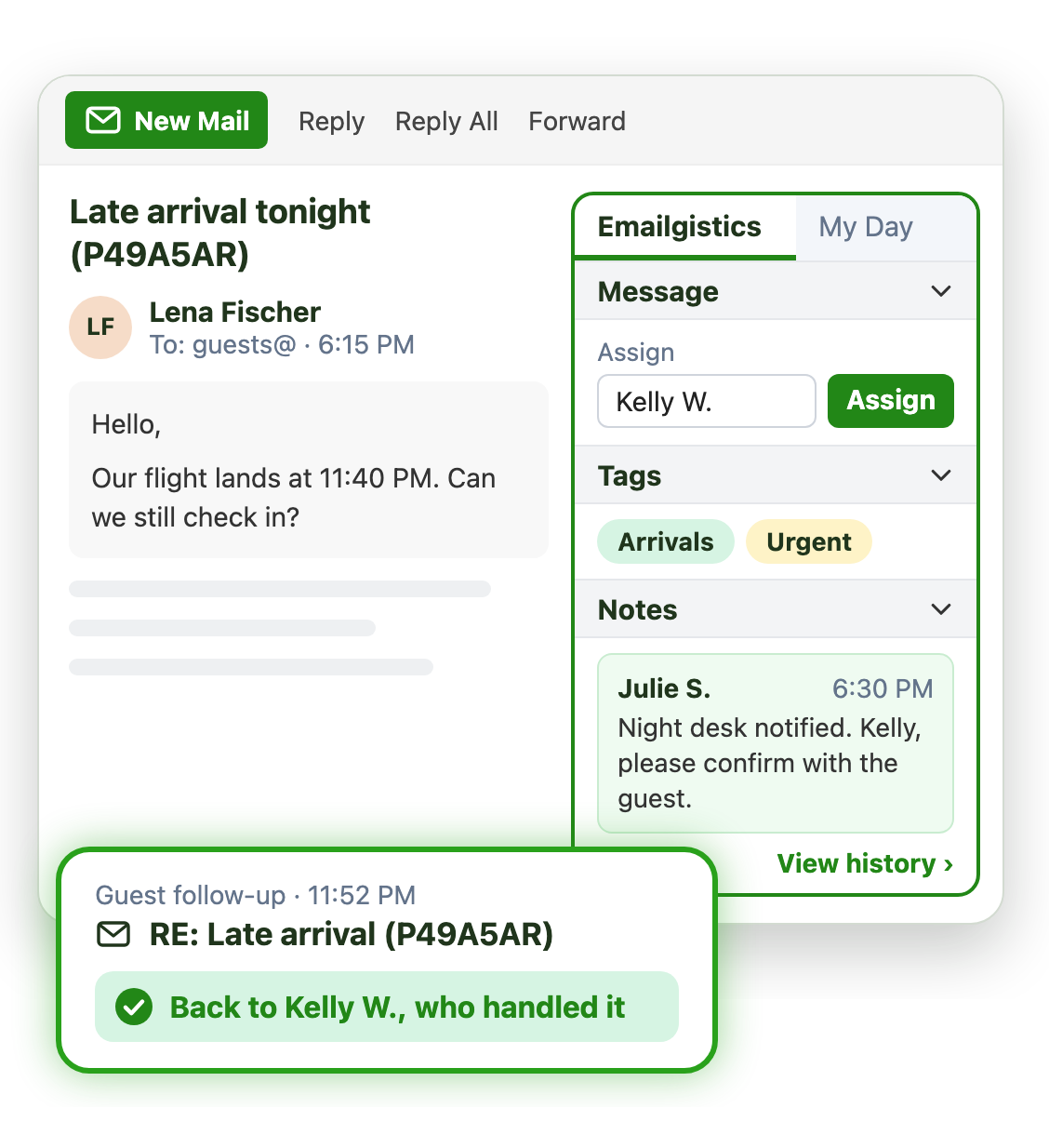
Cancelled flights and late arrivals pass between teams. Conversation history shows what was done on each email, and when:
- Internal notes guests never see
- Reassign in a click, with the history attached
- Follow-ups go back to the person who handled it
Give every guest the same, correct answer
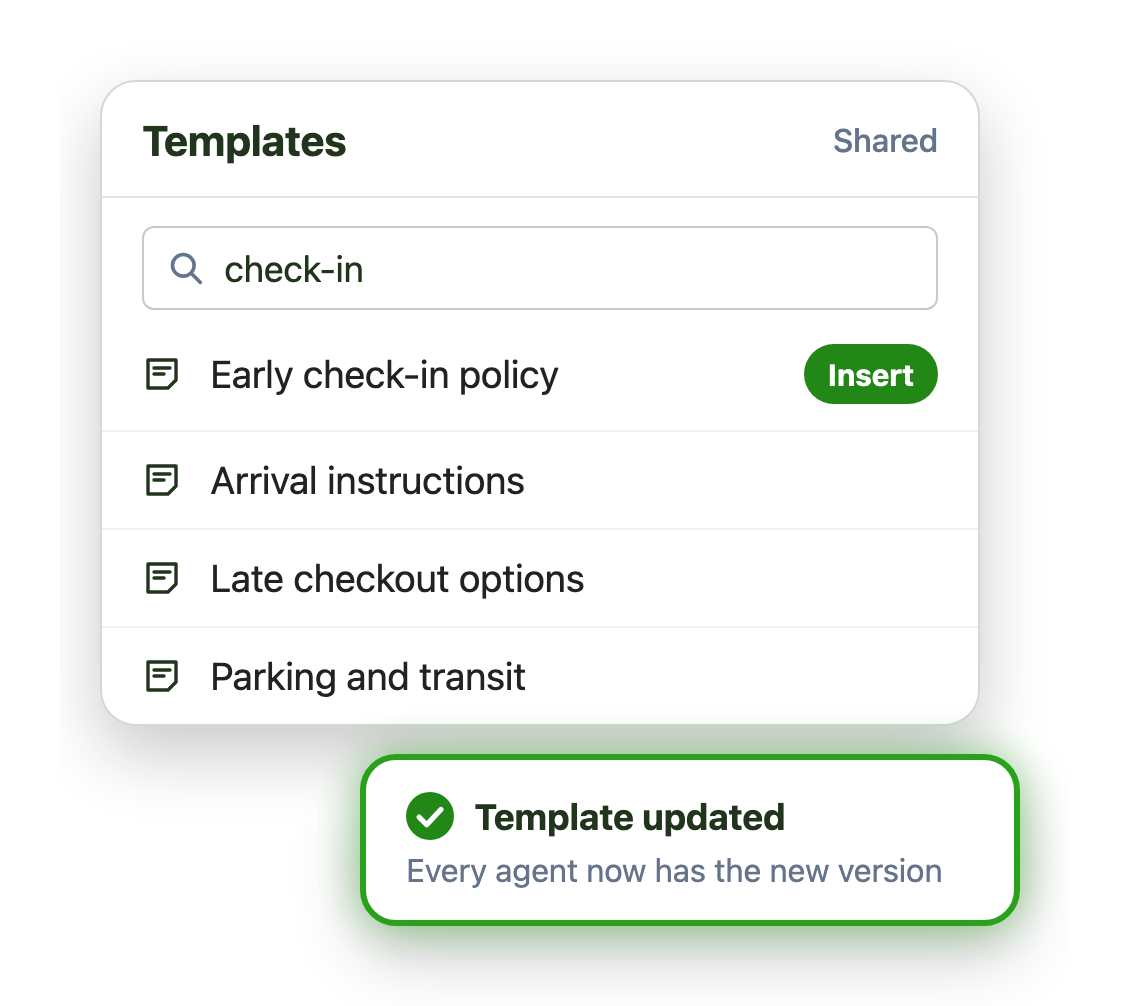
Check-in times, parking and cancellation policies come up all day. Shared templates keep every agent consistent:
- Search and insert an approved reply
- Update a template once for every agent
- Templates organized for each mailbox
Live in under an hour, with no migration
- 1 Connect your mailboxes
- 2 IT grants consent
- 3 Deploy the Outlook add-in
Plans from $11 per user per month, billed annually. Try it free for 14 days, no credit card.
Teams that run on Emailgistics
Real results from Emailgistics customers, in their own words.
-

95%
faster responses, from over 48 hours to 2, on 700 emails a day
Read the case study“You can see exactly where an email went, who did what with it, and use those insights to train somebody.”
-

2,000+
group bookings a year, managed by a mostly remote team
Read the case study“Emailgistics has been a game changer, significantly reducing email clutter, clarifying task ownership, and enabling staff to focus on client relationships and core business activities.”
-

99%
of dealer emails answered within SLA, averaging about 3 hours
Read the case study“Our response time floats around the 3-hour mark, which is amazing and well-exceeds our 48-hour turnaround goals.”
 Rated 4.7/5 on G2
Emailgistics vs. a shared mailbox alone or Front
A shared mailbox alone has no owners or alerts. Front moves your team out of Outlook into its own app. Emailgistics adds structure where your team already works.
| Feature |  Inside Outlook | Outlook on its own | Front |
|---|---|---|---|
| Work stays in Outlook | New app to learn | ||
| One owner per email | Anyone can reply | Collision warnings | |
| Alerts for urgent changes | |||
| Shared templates | Personal only | ||
| No migration | Email moves over | ||
| Email stays in Microsoft 365 | Copied to another system |
Features travel and hospitality teams use most
Everything your team needs to answer every guest quickly and consistently.

Round robin and load balancing
Spread guest email across the team, skipping anyone away.

SLAs by tag
Tighter SLAs and alerts for cancellations and same-day changes.

Shared templates
Approved replies for check-in, policies and directions.

Conversation history
Every assignment, note and reply on a booking, with times.

Schedules for remote teams
Assign email only to people who are working, wherever they are.

AI summaries and replies
Draft replies from your policies in your AI knowledge base.
Reservations, guest services and group sales teams work from shared mailboxes like guests@ and bookings@ in Outlook. Emailgistics gives every email one owner, alerts managers about urgent changes and shares approved replies, without leaving Outlook.
Host and Stay went from response times over 48 hours to about 2 hours across 700 guest emails a day, with every email assigned to one owner on arrival.
Yes. Any tag can carry its own reply and close SLA, so urgent email such as cancelled flights is held to a tighter target than routine questions, and tag alerts email a manager when one is missed. SLAs by tag are included in Professional and Enterprise.
Yes. Sportscorp Travel runs almost entirely remotely. Schedules make sure email reaches people who are working, wherever they are.
Yes. Reports show reply and close times for each person and mailbox. Host and Stay uses them to see where each email went and to train new agents.
Front moves your team into a separate shared inbox app. Emailgistics works inside Outlook on the shared mailboxes you already have, and gives every email one owner.
Yes. Emailgistics is SOC 2 Type II certified and HIPAA and GDPR compliant. It works on the shared mailboxes in your Microsoft 365 tenant, so email stays in Exchange Online, and access is limited to the mailboxes you onboard.
Most teams are live in under an hour, with no migration. Book a demo, then try Emailgistics free for 14 days on your own shared mailboxes. No credit card required.
Last updated