


Emailgistics for Logistics & Transportation
Every dispatch email owned
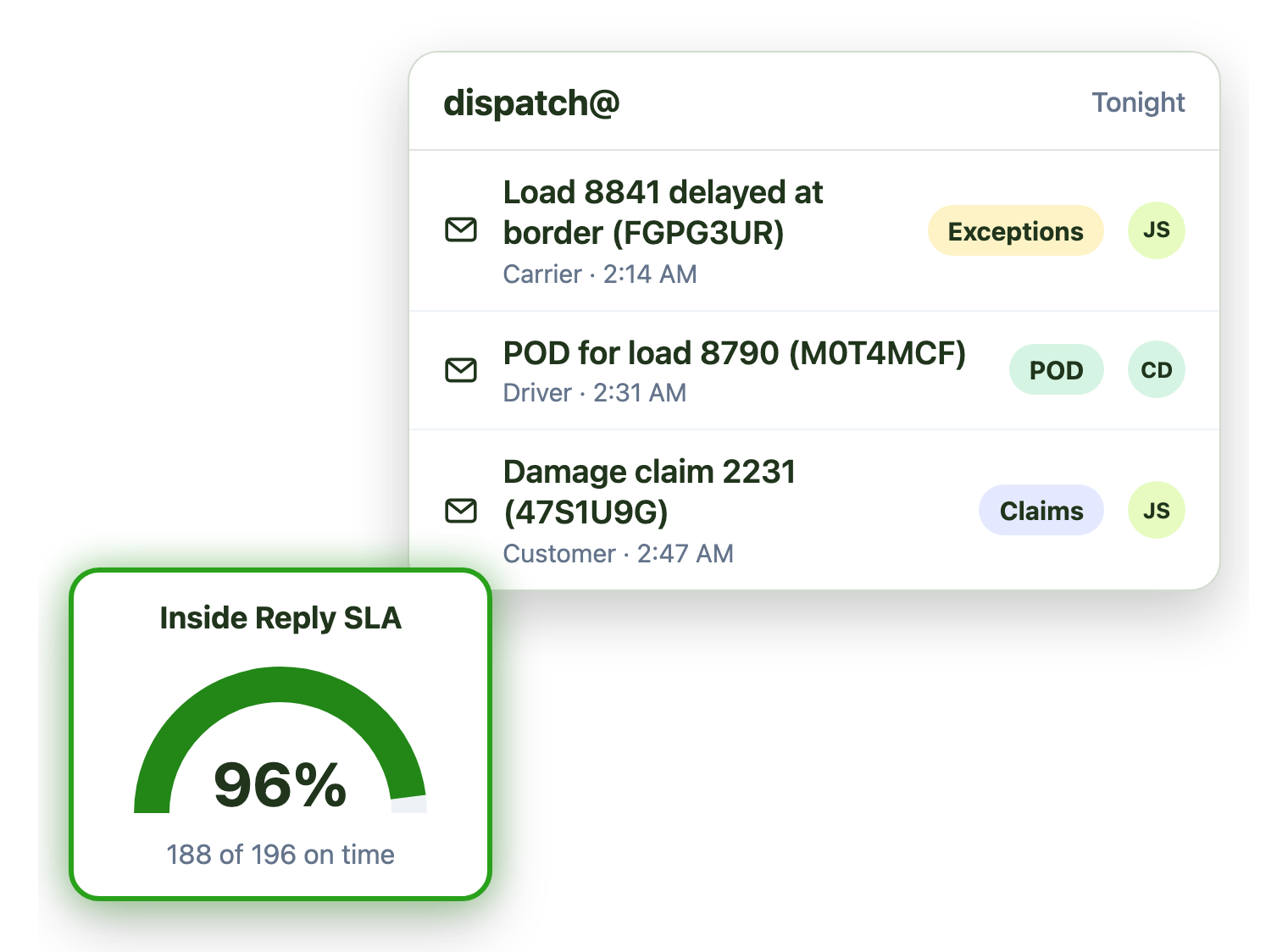
Exceptions, proof of delivery and claims land in shared mailboxes around the clock. Emailgistics gives every email one owner on shift and alerts leads when exceptions wait too long, inside Outlook.
-
10,000+
people use Emailgistics
-
400+
organizations rely on it
-
4.7/5
rating on G2
-
< 1 hour
to go live, no migration
How do logistics teams manage shared mailboxes?
Exceptions arrive overnight and across time zones, claims sit behind proof-of-delivery email, and the next shift starts without context. Emailgistics gives each email an owner who is on shift, alerts leads when exceptions wait and reports on volume by customer. AI summaries catch the next shift up, all inside Microsoft 365.
-
Exceptions
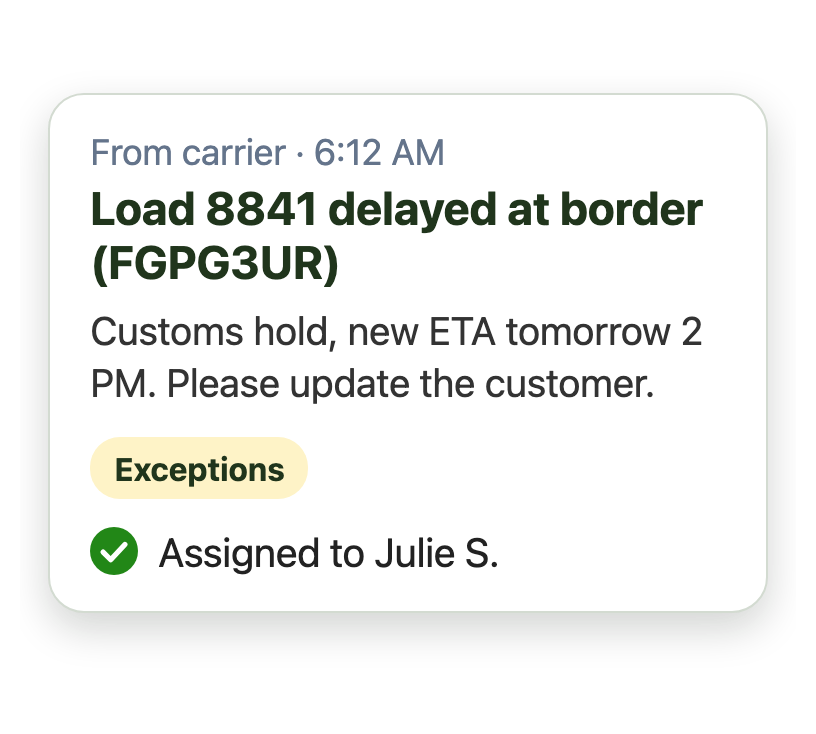
Delays and exceptions reach one owner
-
Shifts
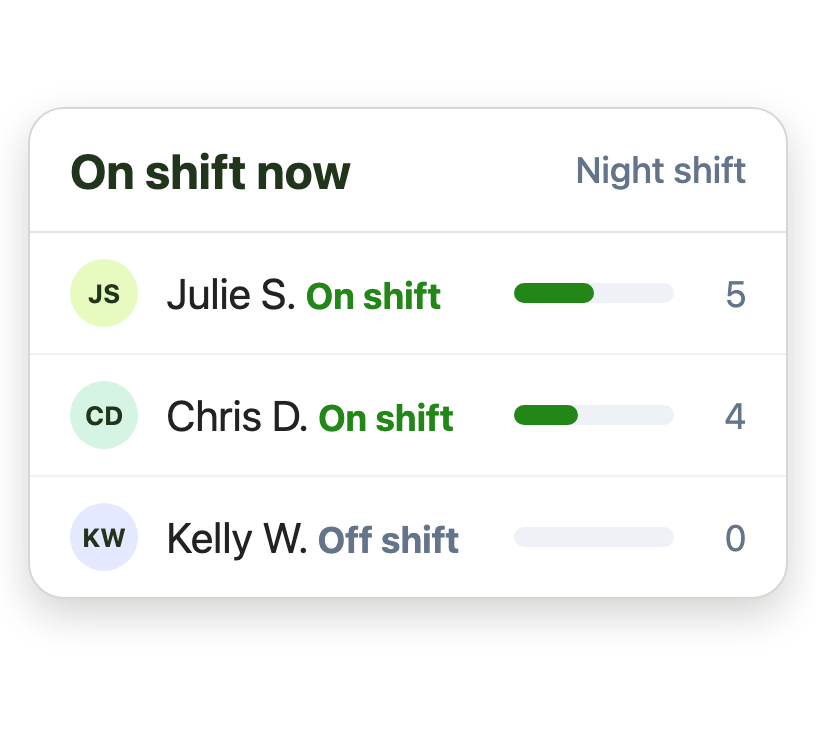
Email goes only to dispatchers who are on shift
-
Catch up
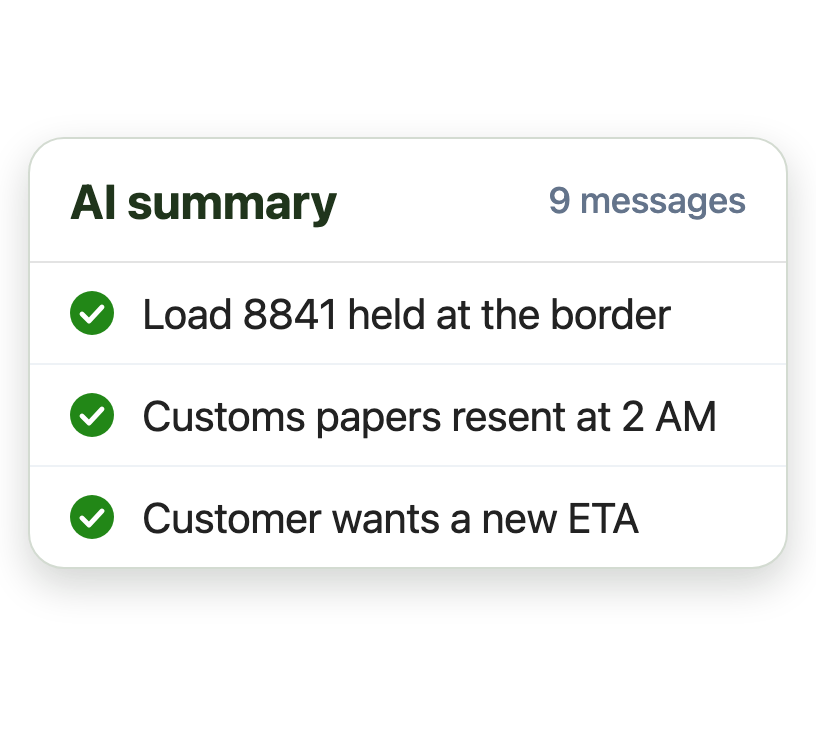
AI summaries catch the next shift up fast
Run dispatch email around the clock
Loads move overnight and across time zones. Schedules make sure email only reaches people who are working:
- Day and night shifts for each dispatcher
- Time zones for teams in several regions
- A backup for anyone who is away
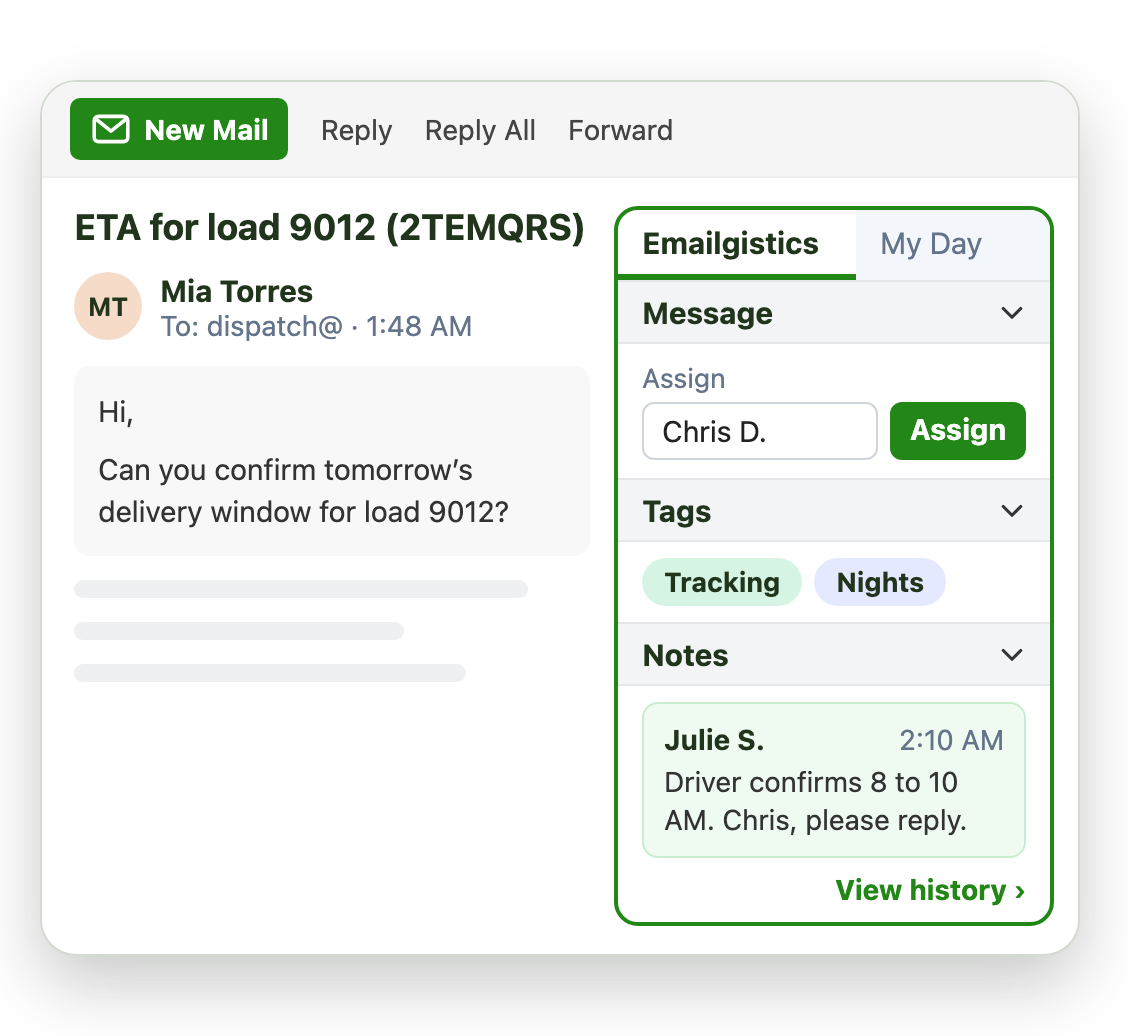
Catch exceptions before customers call
A delayed load or a damage claim can’t wait behind proof-of-delivery email. SLAs by tag hold urgent work to a tighter target:
- Tighter reply and close SLAs for exceptions
- Longer targets for claims and quotes
- Alerts sent to the shift lead by email
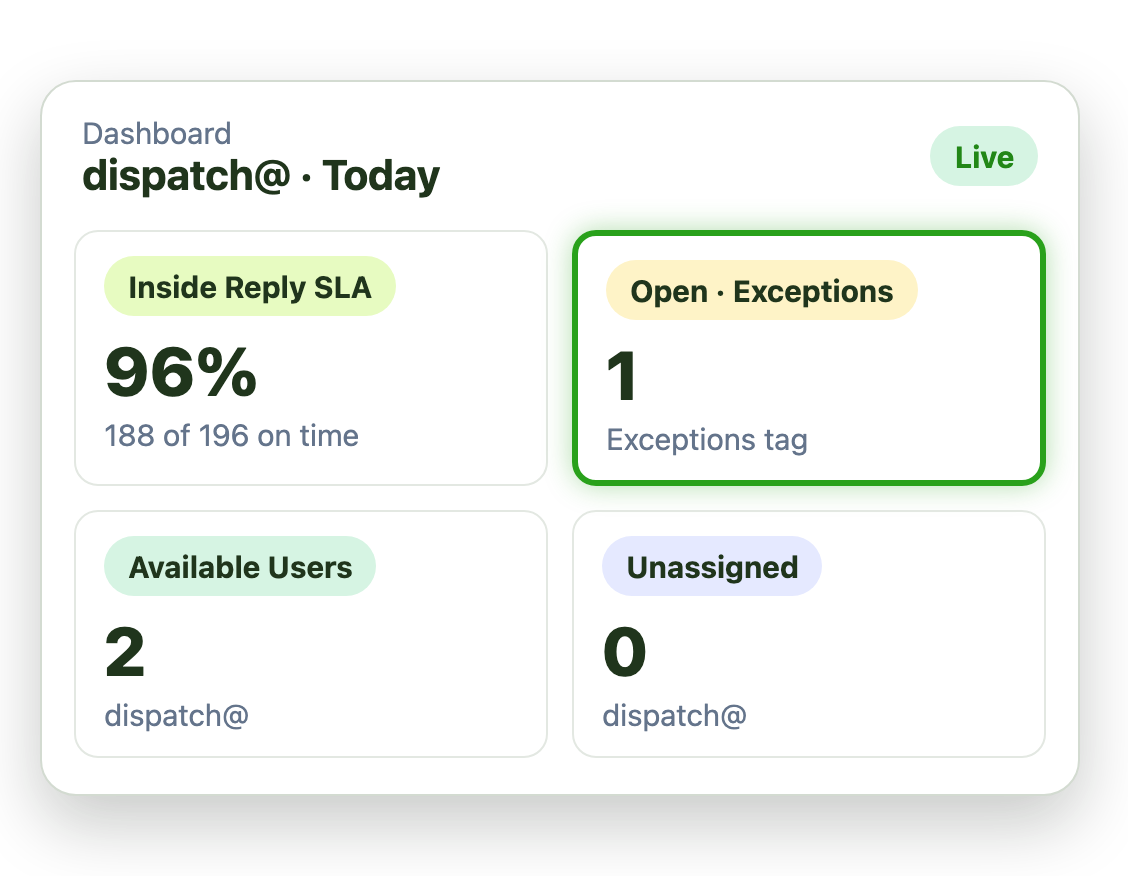
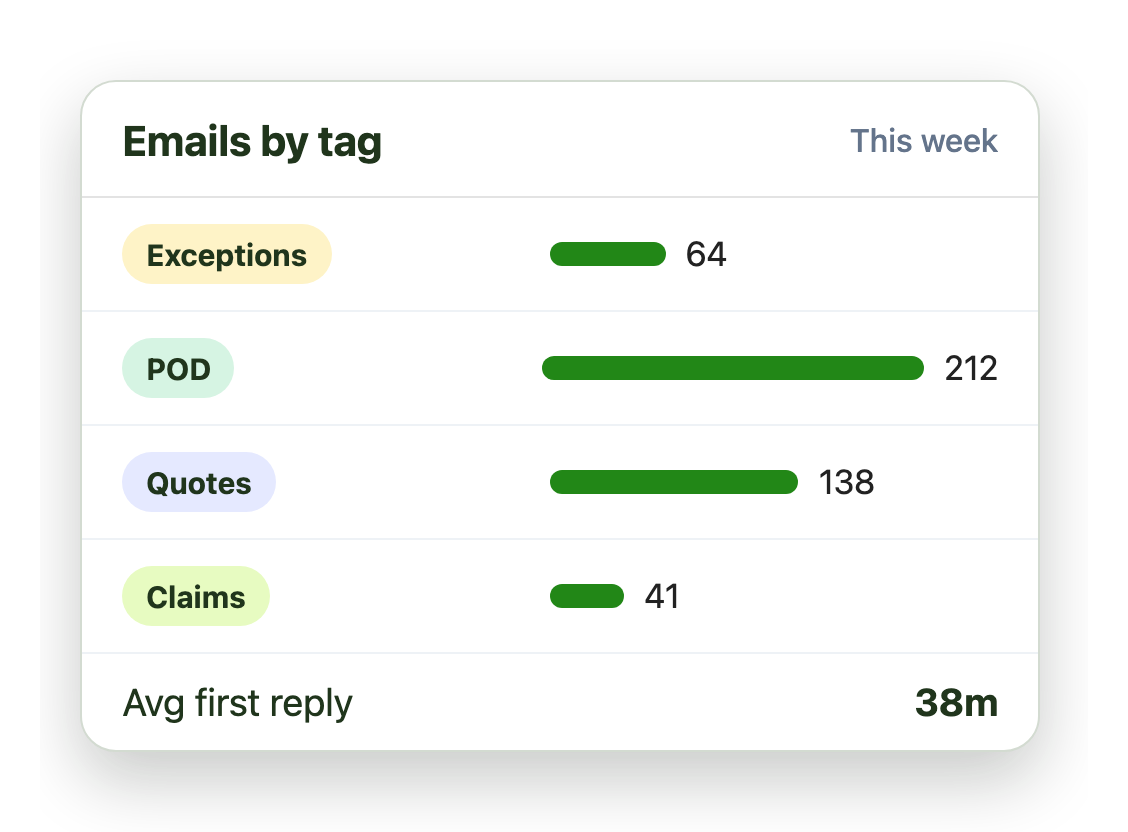
See which lanes and customers drive the volume
Every email that reaches dispatch carries tags. Reports turn them into data you can plan staffing and lanes with:
- Volume by tag, such as exceptions or POD
- Reply times for each mailbox and shift
- Mailbox Domain Performance by customer
Live in under an hour, with no migration
- 1 Connect your mailboxes
- 2 IT grants consent
- 3 Deploy the Outlook add-in
Plans from $11 per user per month, billed annually. Try it free for 14 days, no credit card.
Teams that run on Emailgistics
Real results from Emailgistics customers, in their own words.
-

99%
of dealer emails answered within SLA, averaging about 3 hours
Read the case study“Our response time floats around the 3-hour mark, which is amazing and well-exceeds our 48-hour turnaround goals.”
-

64%
faster first replies in 13 weeks, from 13 hours to under 5
Read the case study“I like the auto routing because it takes away that decision fatigue … It just puts it in your mailbox.”
-

95%
faster responses, from over 48 hours to 2, on 700 emails a day
Read the case study“You can see exactly where an email went, who did what with it, and use those insights to train somebody.”
 Rated 4.7/5 on G2
Emailgistics vs. a shared mailbox alone or Power Automate
A shared mailbox alone has no owners or shifts. Power Automate can route email, but someone has to build and maintain every flow. Emailgistics has it built in.
| Feature |  Inside Outlook | Outlook on its own | Custom flows |
|---|---|---|---|
| One owner per email | Anyone can reply | If you build it | |
| Shifts and time zones | If you build it | ||
| Alerts for exceptions | If you build it | ||
| Reply time reports | |||
| No flows to maintain | Flows need upkeep |
Features logistics teams use most
Everything your team needs to answer carriers and customers on every shift.

Shifts and time zones
Assign email only to dispatchers on shift, in any region.

Automatic tagging
Tag exceptions, POD, quotes and claims the moment email arrives.

Tag alerts
A tighter alert for exceptions, sent to the shift lead.

Previous-owner routing
Carrier and customer replies return to the same dispatcher.

Tag and domain reports
Volume and reply times by tag, shift and customer domain.

AI summaries and replies
Reply to carriers in seconds from your AI knowledge base.
Dispatch, customer service and claims teams work from shared mailboxes like dispatch@ and claims@ in Outlook. Emailgistics gives every email one owner, sends it only to people on shift and alerts leads when exceptions wait, without leaving Outlook.
Yes. User schedules and time zones decide who can receive email, so overnight and regional teams only get email while they are working.
Yes. Tag alerts give exceptions their own threshold, such as 15 minutes, and email the shift lead if a message waits longer.
Yes. Previous-owner routing sends follow-ups to whoever handled the email before, or to their backup if they are off shift.
Yes. The Mailbox Domain Performance report shows volume and reply times by sender domain, and tag reports break volume down by request type.
You could build parts of it, but someone has to maintain each flow, and flows can stop when their owner leaves. Emailgistics has shifts, alerts and reports built in.
Yes. Emailgistics is SOC 2 Type II certified and HIPAA and GDPR compliant. It works on the shared mailboxes in your Microsoft 365 tenant, so email stays in Exchange Online, and access is limited to the mailboxes you onboard.
Most teams are live in under an hour, with no migration. Book a demo, then try Emailgistics free for 14 days on your own shared mailboxes. No credit card required.
Last updated