


Emailgistics for Technology & Communications
Every support email owned
Support, sales and billing email share a few mailboxes. Emailgistics escalates urgent issues automatically, balances the load and keeps every handoff on the record, inside the Outlook your team already uses.
-
10,000+
people use Emailgistics
-
400+
organizations rely on it
-
4.7/5
rating on G2
-
< 1 hour
to go live, no migration
How do tech and telecom teams manage shared mailboxes?
Urgent issues sit behind billing questions, agents at capacity keep getting new email, and context gets lost between sales and support. Emailgistics escalates urgent issues automatically, tracks every queue against response targets and reports on reply times. AI summarizes long threads and drafts how-to answers in seconds, inside Microsoft 365.
-
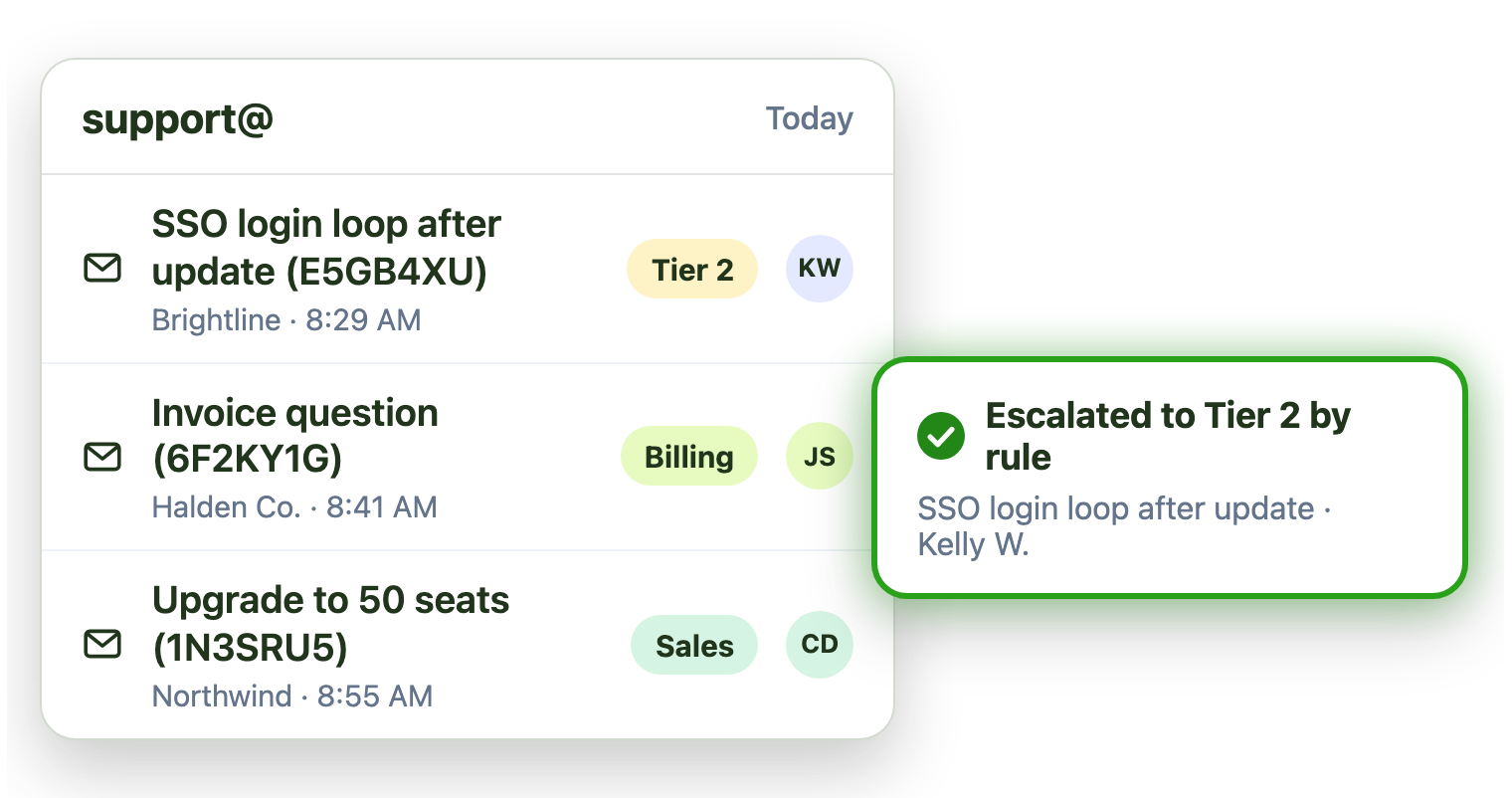
Escalation
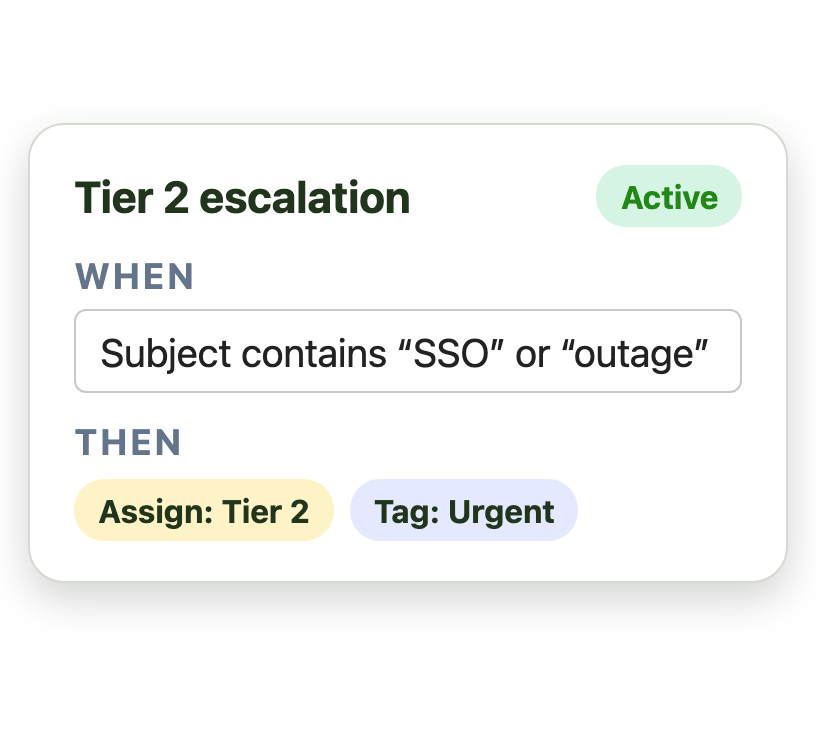
Urgent issues escalate to Tier 2 automatically
-
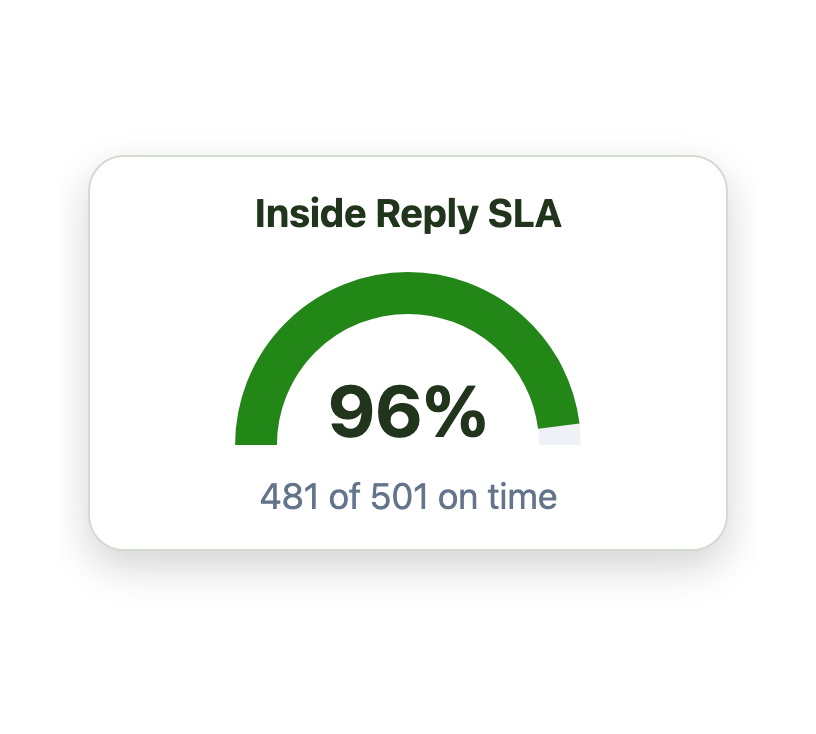
Targets
Response targets are tracked for every queue
-
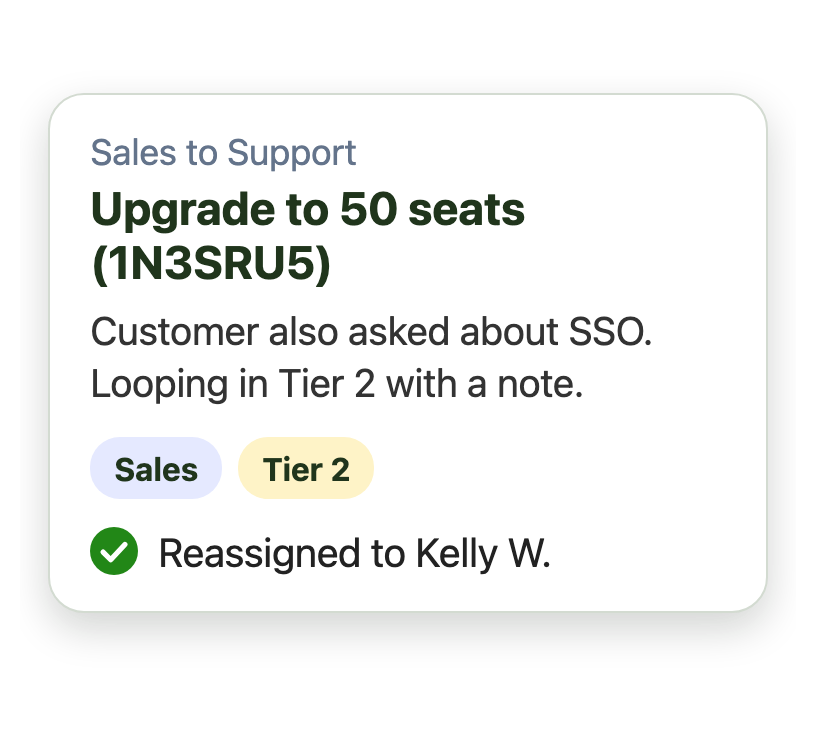
Handoffs
Sales and support share context on one email
Triage support email without a ticketing system
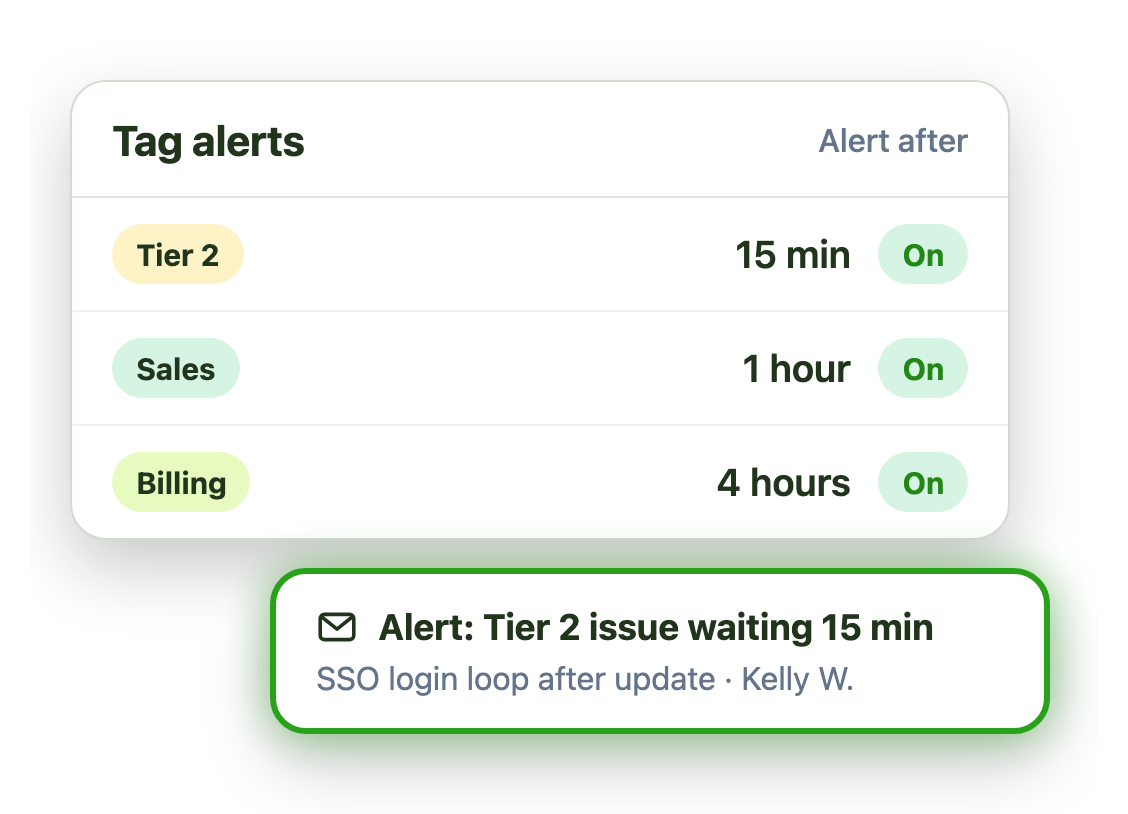
Outages and login problems can’t sit behind billing questions. Emailgistics escalates and alerts on urgent email the moment it arrives:
- Escalate by keyword or customer plan
- Tighter SLAs and alerts for Tier 2 issues
- Balance the load across the team
Keep up when volume peaks
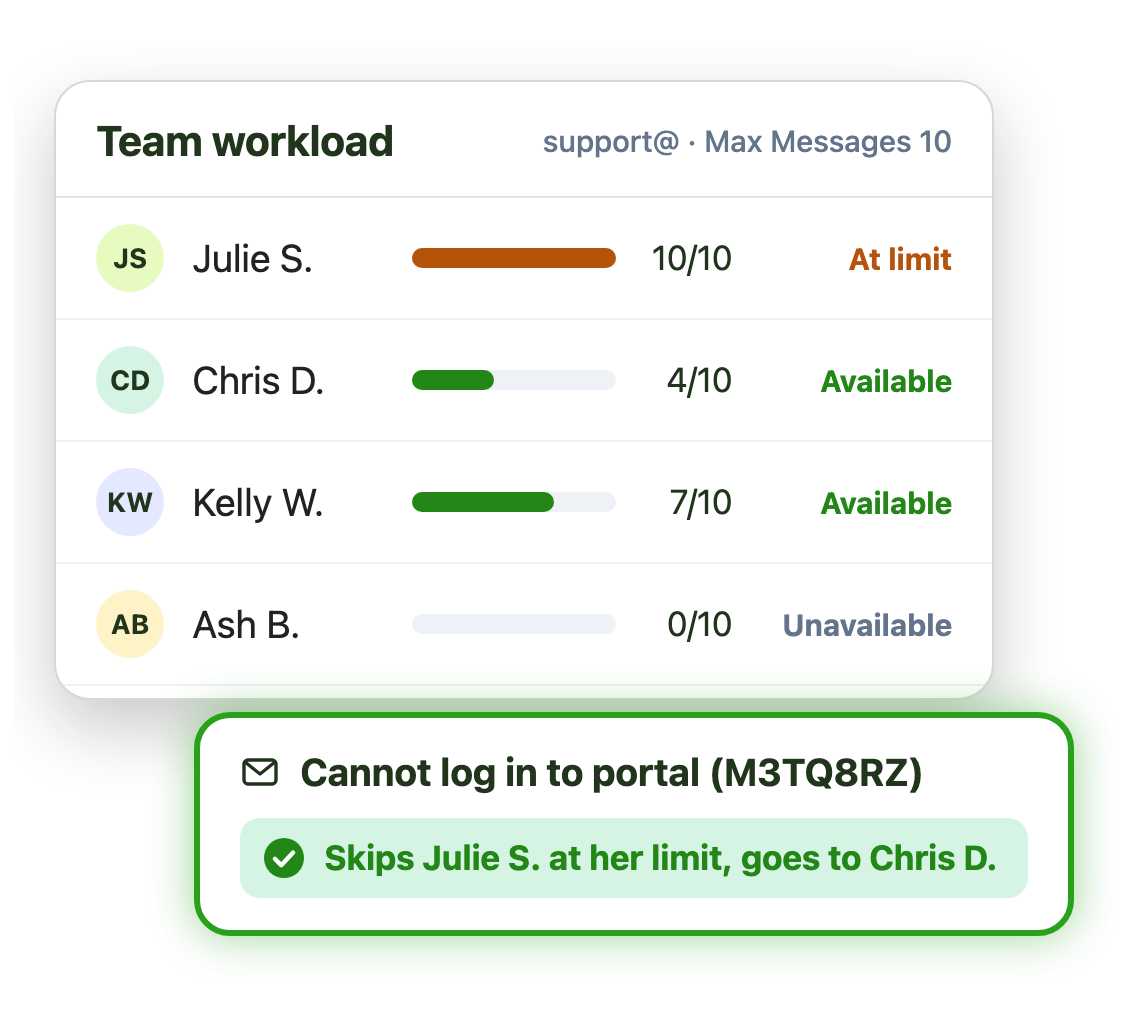
At peak, a contact center gets more email than any one person can hold. Message limits keep anyone from drowning:
- Cap how much email each person holds
- New email skips anyone at their limit
- Email only to people who are available
Hand off between sales, support and billing
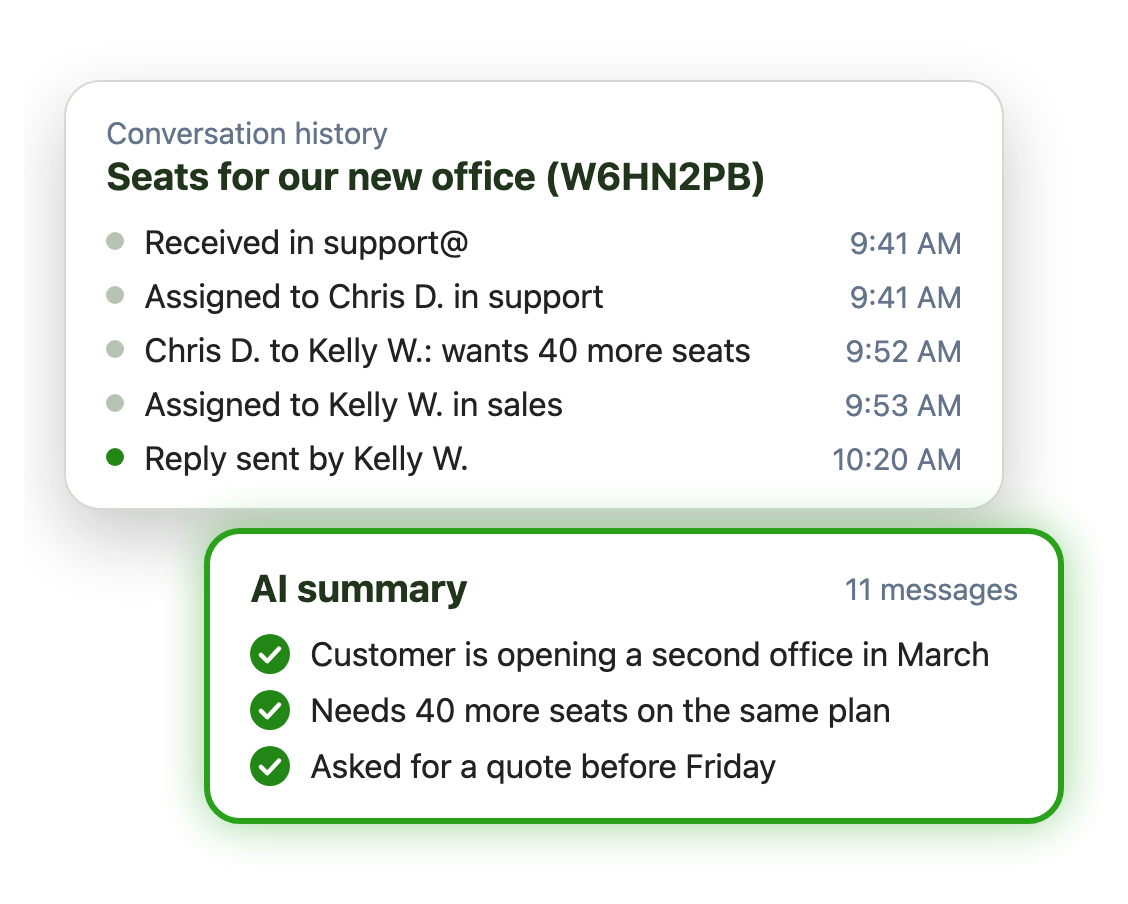
Customers don’t care which team owns their email. Conversation history shows what was done on each email, and when:
- Internal notes for handoffs between teams
- AI summaries catch the next person up on long threads
- One owner at every step, so no one replies twice
Live in under an hour, with no migration
- 1 Connect your mailboxes
- 2 IT grants consent
- 3 Deploy the Outlook add-in
Plans from $11 per user per month, billed annually. Try it free for 14 days, no credit card.
Teams that run on Emailgistics
Real results from Emailgistics customers, in their own words.
-

1,000+
emails a day at peak, set up in 30 minutes or less
Read the case study“Emailgistics has completely revolutionized the way we manage our shared mailboxes.”
-

99%
of dealer emails answered within SLA, averaging about 3 hours
Read the case study“Our response time floats around the 3-hour mark, which is amazing and well-exceeds our 48-hour turnaround goals.”
-

64%
faster first replies in 13 weeks, from 13 hours to under 5
Read the case study“I like the auto routing because it takes away that decision fatigue … It just puts it in your mailbox.”
 Rated 4.7/5 on G2
Emailgistics vs. a shared mailbox alone or an issue tracker
A shared mailbox alone has no owners or limits. An issue tracker turns customer email into engineering tickets. Emailgistics keeps it as email, with structure.
| Feature |  Inside Outlook | Outlook on its own | Jira or similar |
|---|---|---|---|
| Customer email stays email | Becomes an issue | ||
| One owner per email | Anyone can reply | ||
| Message limits | Varies by setup | ||
| Reply time reports | Add-ons needed | ||
| Live in under an hour | Workflow setup | ||
| Email stays in Microsoft 365 | Copied to another system |
Features tech teams use most
Everything your team needs to triage, balance and answer customer email.

Automatic escalation
Assign urgent issues, sales leads and billing email to the right person on arrival.

Load balancing and limits
Spread email by workload and skip anyone at their limit.

Conversation history
Every assignment, note and reply across sales and support.

SLA and tag alerts
Alerts for urgent tags and email that waits past target.

Reports and Reporting API
Reply times by team and person, or pull the data into Power BI.

AI summaries and replies
Draft answers from your docs in your AI knowledge base.
Support, sales and billing teams work from support@ and sales@ shared mailboxes in Outlook. Emailgistics assigns each email to one owner, escalates urgent issues automatically, balances workloads and keeps notes with the email.
Yes. pc/nametag’s contact center handles over 1,000 emails a day at peak with Emailgistics, using message limits to route email properly.
Yes. Rules match email by keyword, sender or other conditions and assign it to a Tier 2 team, tag it and alert a lead if it waits.
pc/nametag set up its mailbox and all users in 30 minutes or less. Emailgistics connects to existing Microsoft 365 shared mailboxes, with no migration.
Yes. The Reporting API lets data teams pull mailbox and user performance into Power BI or a data warehouse.
Issue trackers are built for engineering work, not customer conversations. Emailgistics keeps customer email as email, with ownership and reporting in Outlook.
Yes. Emailgistics is SOC 2 Type II certified and HIPAA and GDPR compliant. It works on the shared mailboxes in your Microsoft 365 tenant, so email stays in Exchange Online, and access is limited to the mailboxes you onboard.
Most teams are live in under an hour, with no migration. Book a demo, then try Emailgistics free for 14 days on your own shared mailboxes. No credit card required.
Last updated