


Microsoft 365 Shared Mailbox Management
Simplify shared inboxes without leaving Outlook
Automation, analytics, and collaboration for Outlook shared mailboxes. No complex setup, 100% secure in Microsoft 365.
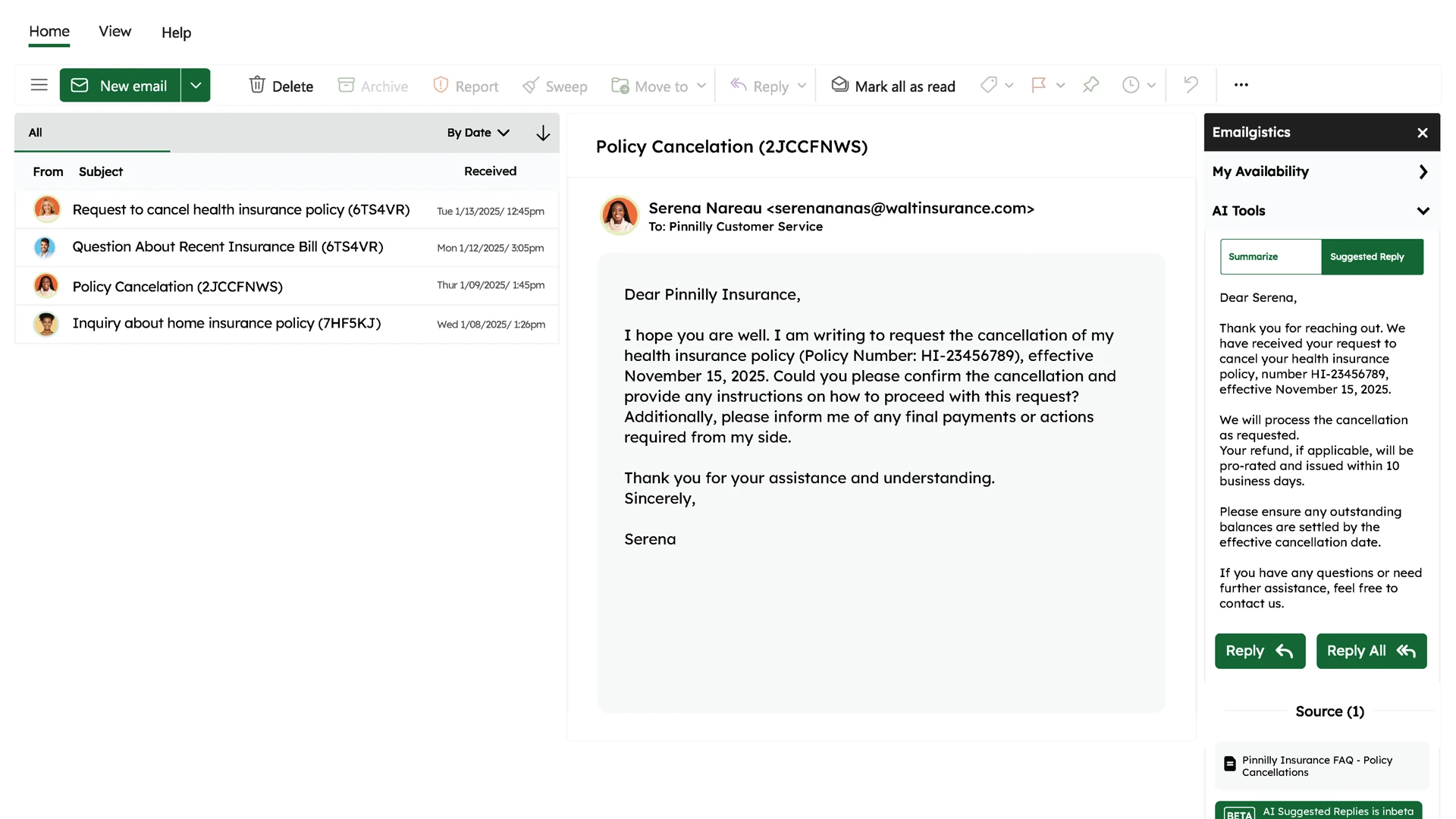



Emailgistics is shared mailbox management software built entirely within Microsoft 365, adding automatic email assignment, workflow automation, SLA monitoring, and real-time reporting directly inside Outlook. Customer service, operations, and IT teams use it to respond faster without adopting a separate help desk platform.


















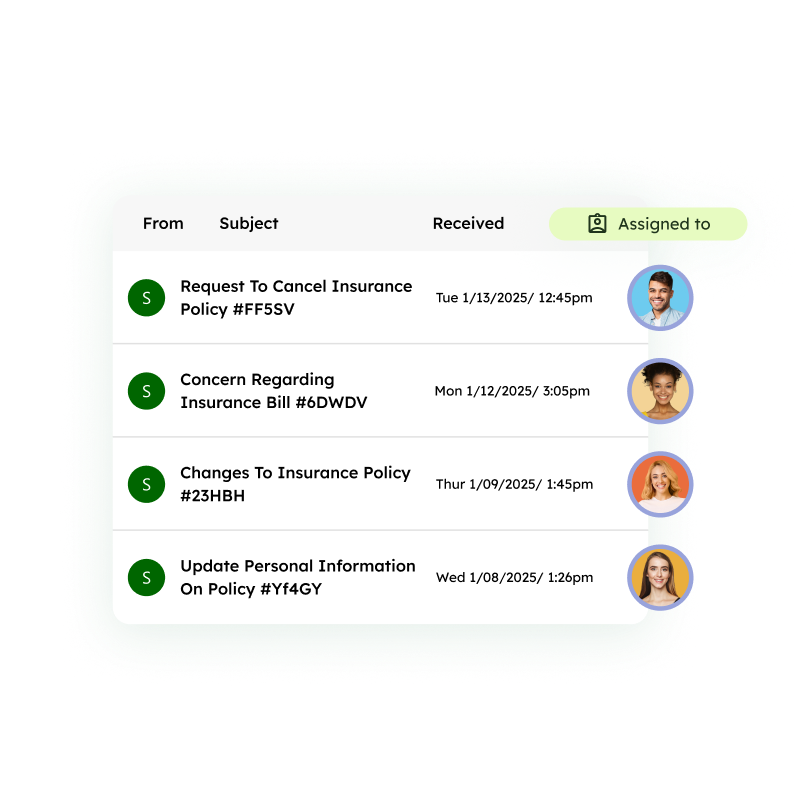
Team Email Management
Achieve clear ownership in shared inboxes
Stop guessing who's handling what in your Outlook shared inbox. Assign conversations to the right teammate — automatically or manually — and track every interaction to maintain accountability.
- Ensure no email goes unanswered
- Prevent duplicate replies
- Keep conversations organized, visible, and on track
Workflow Automation
Automate workflows, keep the human touch
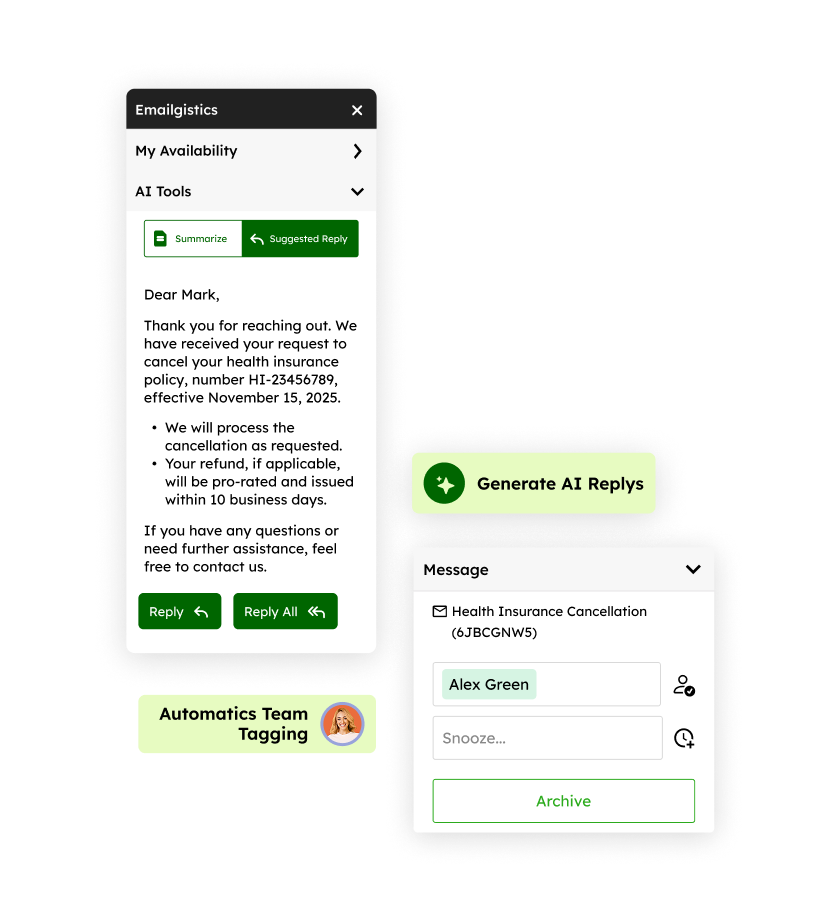
Cut out repetitive admin tasks with shared mailbox automation — from automatic tagging and routing to AI-suggested replies — while personalizing emails using shared notes and conversation history.
- Reduce manual workload substantially
- Ensure consistent, on-brand communication
- Build stronger relationships and foster loyalty
Secure shared mailbox management. No third-party vulnerabilities.
Works right inside Microsoft 365, with no new tools to learn or servers to configure. Keep your team inside the familiar Outlook environment with features that let them work smarter, not harder.
| Feature |  Works entirely in M365 | Third-Party Systems |
|---|---|---|
| Works entirely in Microsoft 365 | Must learn new platform | |
| Messages stay on the M365 server | Security risks from forwarding | |
| No SMTP setup for distribution groups | Must configure each step | |
| No DNS record changes (SPF/DKIM) | Required for deliverability | |
| No additional point of failure | Compatibility issues | |
| Minimal user learning curve | New UI, new workflows |
SLA Monitoring
Confidently meet your SLA targets
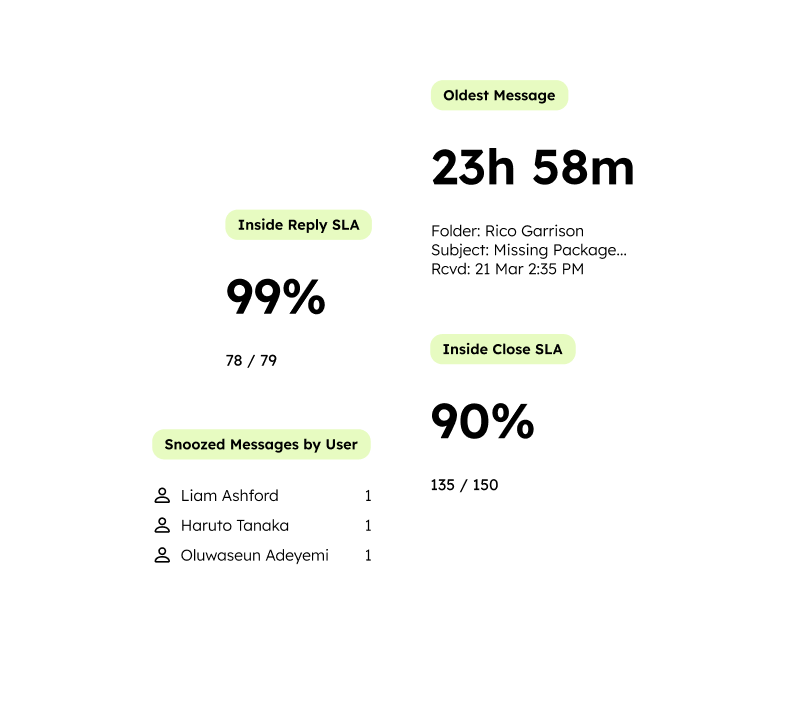
Track and improve performance with real-time SLA monitoring in Microsoft 365. See metrics like reply time, close time, and SLA compliance in real-time with an intuitive dashboard.
- Identify SLA risks before breaches occur
- Hold teams accountable with transparent reporting
- Strengthen customer trust with consistent service
Reporting & Analytics
Gain instant clarity into team performance
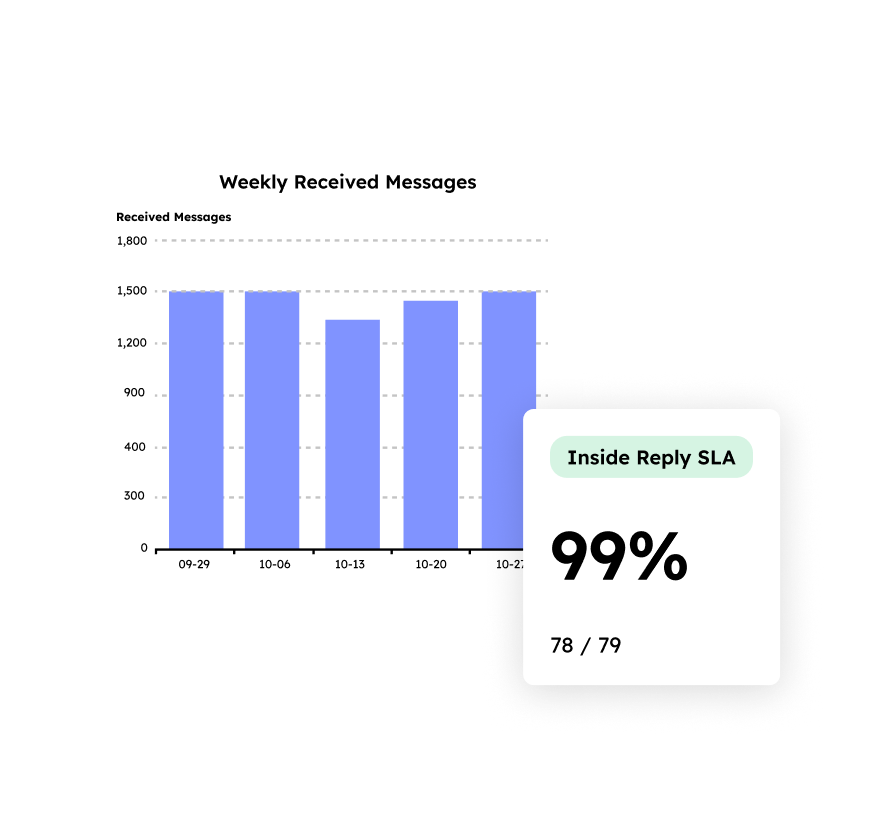
Measure productivity across individuals and teams with shared mailbox reporting and analytics. Drill into response times, workloads, and performance trends in just a few clicks.
- Simplify complex data into actionable insights
- Make data-driven decisions for better service delivery
- Evaluate and improve communication workflows
Why Microsoft 365 teams choose Emailgistics
Emailgistics helps customer service, sales, and operations teams using Outlook shared inboxes respond faster, stay organized, and deliver better customer experiences.

“The setup and maintenance of Emailgistics is by far the easiest we’ve dealt with.”

“We’ve been able to set targets for response times and have proof that we’re meeting those goals.”

“We demoed a variety of other platforms, but they just didn’t have that subset of email management that was cost-effective for us. Our team uses Outlook and wants to stay in Outlook.”

Kathy G., Director of Operations Improvements, School Outfitters
Product
Emailgistics is a Microsoft 365-native shared mailbox management platform that automates email assignment, workflow routing, SLA tracking, and analytics inside Outlook. It helps teams reduce response times, prevent missed messages, and gain visibility across shared mailboxes in Microsoft 365.
Emailgistics is designed for Outlook teams and supports shared mailbox workflows without forcing a separate ticketing portal. Teams can keep email as email while adding structured assignment, SLAs, and reporting for shared mailboxes in Microsoft 365.
Emailgistics automatically assigns incoming emails using configurable routing rules and workload-based logic. Teams can route by mailbox, sender, keywords, categories, business hours, or availability, so each message has clear ownership and nothing gets missed.
Yes. Emailgistics tracks response-time targets (SLAs) for shared mailboxes and can alert teams when messages approach or exceed SLA thresholds. Reporting shows performance by mailbox, tags, and team member.
Emailgistics provides shared mailbox analytics such as inbound volume, response times, SLA compliance, backlog, workload distribution, and performance trends. These reports help managers identify bottlenecks, improve staffing decisions, and maintain accountability.
Emailgistics is not a traditional help desk ticketing system. It's purpose-built for teams that manage customer or operational email in Microsoft 365 shared mailboxes and want assignment, SLAs, and analytics without switching to a separate support portal or ticket-based workflow.
Yes! Since Emailgistics integrates directly with Microsoft Outlook 365, you retain full access to your personal Outlook accounts. This allows you to consolidate both individual and shared inboxes (like [email protected]) into one platform, eliminating the need to toggle between Outlook and Emailgistics.
Privacy & Security
Absolutely. Emailgistics is SOC 2-, GDPR-, and HIPAA-compliant, guaranteeing adherence to rigorous security and privacy standards. Our strict security protocols for Outlook shared mailboxes are in place to safeguard your data.
Yes. Emailgistics is built for Microsoft 365 shared mailboxes, and all emails remain within your Microsoft 365 environment, ensuring security and privacy.
Emailgistics stores only essential metadata about an email message to run analytics for you. This metadata includes the Internet message ID, Exchange conversation ID, date received or sent, subject line, and email headers (To, From, CC). We get this information via the Microsoft APIs you have authorized us to use, and all data transmission is fully encrypted.
No. All emails remain securely stored within your Microsoft 365 environment and Emailgistics never hosts or accesses your emails. Our support team will only read or view your email if you explicitly give permission and share a copy with them, either by forwarding the email or through screen-sharing.

Streamline your Microsoft 365 shared inboxes today
Book your personalized demo, then try Emailgistics Pro free for 14 days.