


The Conversation ID is a unique nine-character alphanumeric identifier (e.g., 2JW649S38) assigned to each email thread in Emailgistics. This ID ensures clear
ownership, maintains conversation continuity, and serves as a powerful reference for tracking and searching email threads. Emailgistics also offers the option to append this ID to the subject line for easy visibility.
Key Benefits of Conversation ID
1. Seamless Conversation Tracking
The Conversation ID links all related messages within a thread, allowing users to track conversations efficiently. This ensures no email is lost or mismanaged, providing a comprehensive view of past interactions.
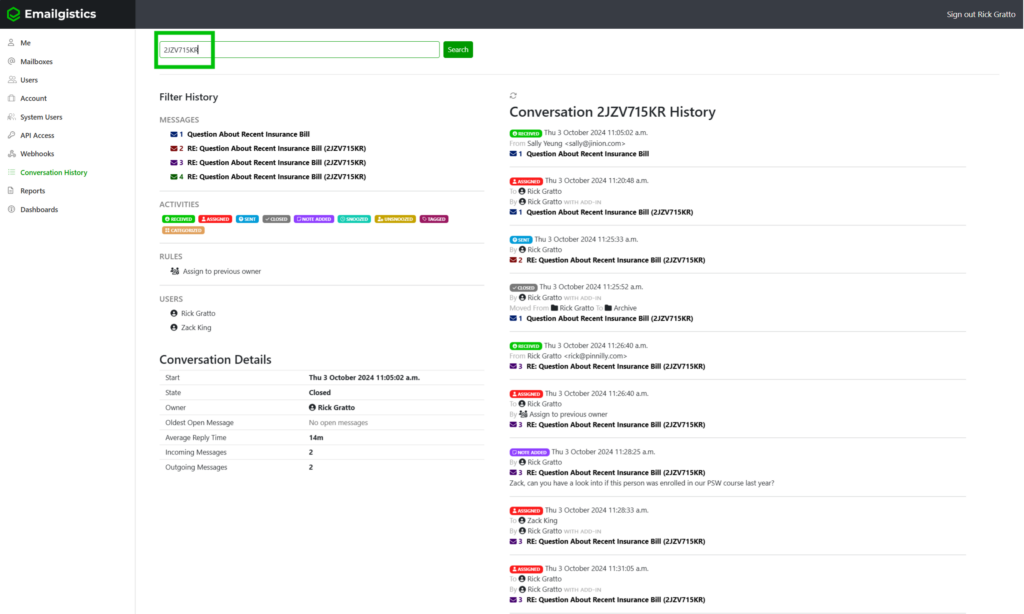
2. Enhanced Search and Reference
The Conversation ID serves as an excellent reference tool, making it easy to locate past conversations. Whether searching within your mailbox or assisting a client, referencing the unique ID streamlines the process and saves time.
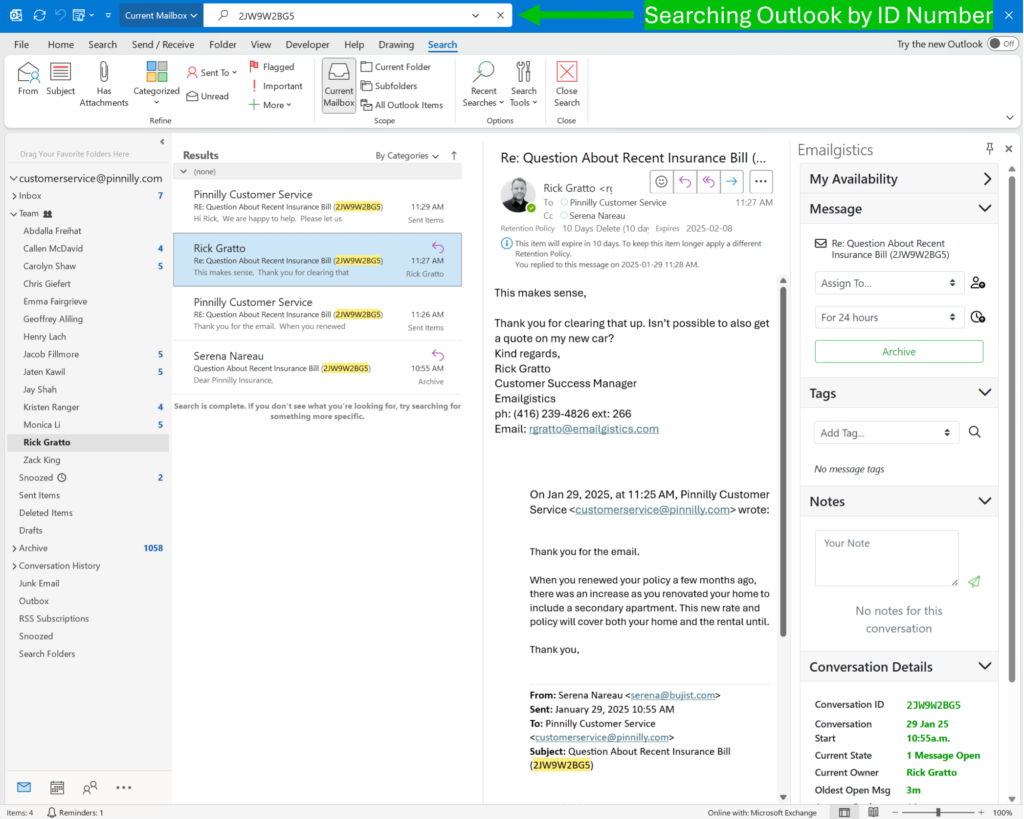
3. Visibility in Add-in and Subject Line
Users can find the Conversation ID in two key locations:
- The Conversation Details section of the Emailgistics add-in.
- The email subject line, if the option to append the ID is enabled in Emailgistics.
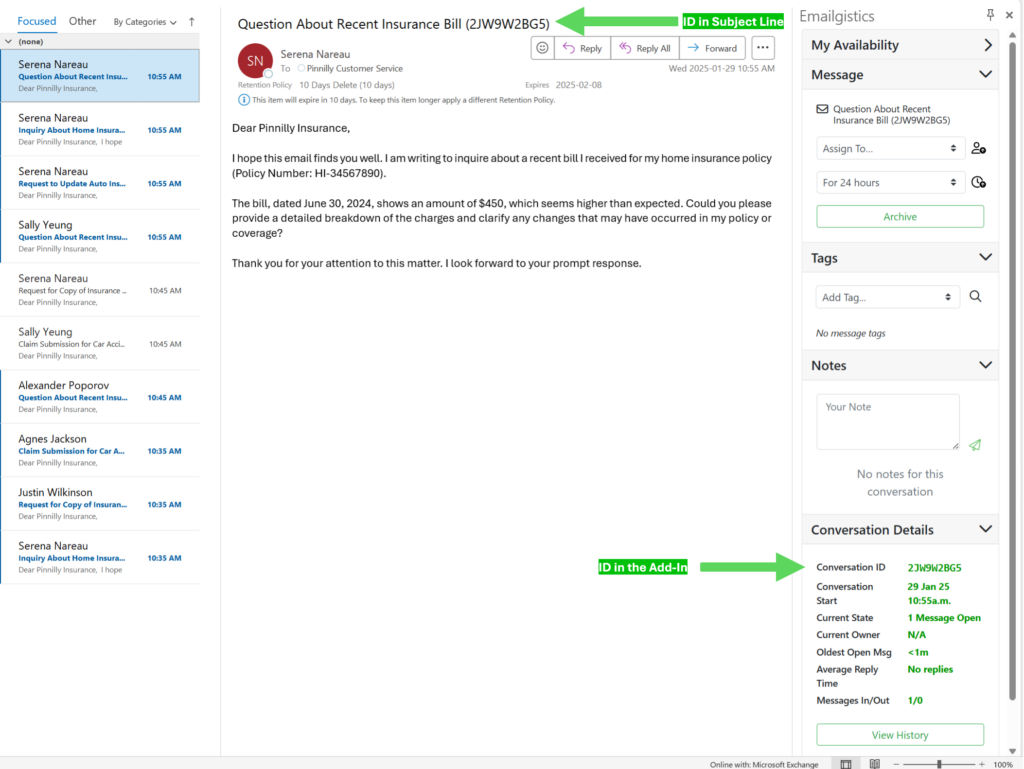
This dual visibility ensures users and email recipients can quickly reference and retrieve
conversation history when needed.
4. Improved Client Communication
Appending the Conversation ID to the subject line helps external recipients reference a specific conversation. This is particularly useful when clients need to revisit previous discussions, reducing back-and-forth and enhancing response efficiency.
5. Audit and Compliance Support
Conversation ID aids in tracking, tracing, and auditing email interactions. It ensures every conversation has a unique identifier, making it easier to verify communication history and maintain compliance standards.
In summary, the Conversation ID is an essential tool for organizing, tracking, and retrieving email conversations within Emailgistics. By leveraging this feature, users can improve efficiency, enhance searchability, and streamline client communications within Outlook.