After your 14-day free trial, choose a plan to keep using Emailgistics.
Plans
Emailgistics has three plans, priced per user per month in US dollars:
| Plan | Billed annually | Billed monthly |
|---|---|---|
| Starter | $11 | $13 |
| Professional | $26 | $31 |
| Enterprise | $46 | $55 |
See what's included in each plan on our pricing page.
Once you choose a plan, you can apply licenses to your users in Emailgistics Admin.
How monthly licenses are billed
Monthly licenses are billed at the start of your billing period and renew each month, unless the license is removed from the user or the user is removed from the mailbox. At the end of each billing period, Emailgistics removes unused monthly licenses, so your account isn't billed for inactive licenses.
Apply a license to a user
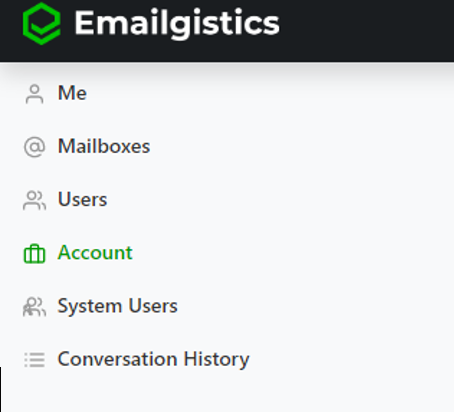
In Emailgistics Admin, go to the Account section. You need the billing admin role to see this page.
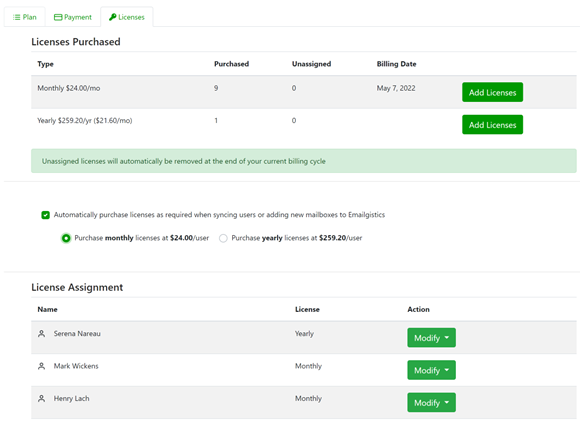
Open the Licenses tab.

Change existing licenses or buy more. Select Modify beside a user's name to switch their license from monthly to yearly, or select Add Licenses to buy more.
Unlicensed users
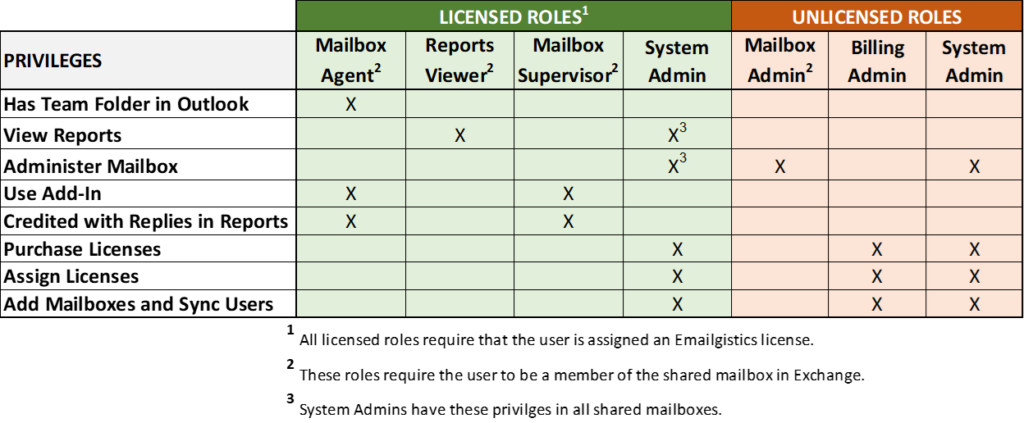
People can be members of the shared mailbox in Exchange without an Emailgistics role or a paid license. This is often someone on the IT team, or a senior manager who wants to keep an eye on the mailbox but won't use Emailgistics.
Licensed and unlicensed roles