


Shared inbox management for sales operations and quoting teams

Inbox management: the key to faster sales responses
Will prospects wait an hour for your email reply? Research shows that responding within an hour makes you nearly seven times more likely to qualify the lead. For sales intake, quoting, and business development teams, that one-hour difference can mean winning the deal or losing it to a faster competitor.
When high-value sales requests hit an Outlook shared mailbox (e.g., quotes@, sales@, bids@) with no clear owner, your team is already at a disadvantage:
- Unanswered inquiries: Critical submissions sit idle, like RFQs with drawings or bulk-order requests with “need-by” dates, because no owner or specialist is assigned.
- Duplicate work: Multiple team members jump on the same quote request with different pricing or terms, creating conflicting replies.
- Missed opportunities: First-response SLAs on new-business quotes are missed, bid portals close, or time-sensitive buying periods expire, handing business to faster competitors.
This post explores three common scenarios your team may face and how Emailgistics brings order and speed to help you capture more opportunities and drive revenue.
Scenario 1: Managing inbound sales requests — RFPs, quotes, and inquiries
Common obstacles
Depending on your industry, a shared inbox can result in different types of delays or issues when managing inbound sales requests. For example, an insurance broker’s ACORD forms may sit idle without a line-of-business owner, or a retail buyer’s multi-SKU order can get priced two different ways by different reps. Regardless of your specific challenge, the results of unclear ownership are the same: requests collide, deadlines slip, and you lose high-value opportunities.
How Emailgistics helps
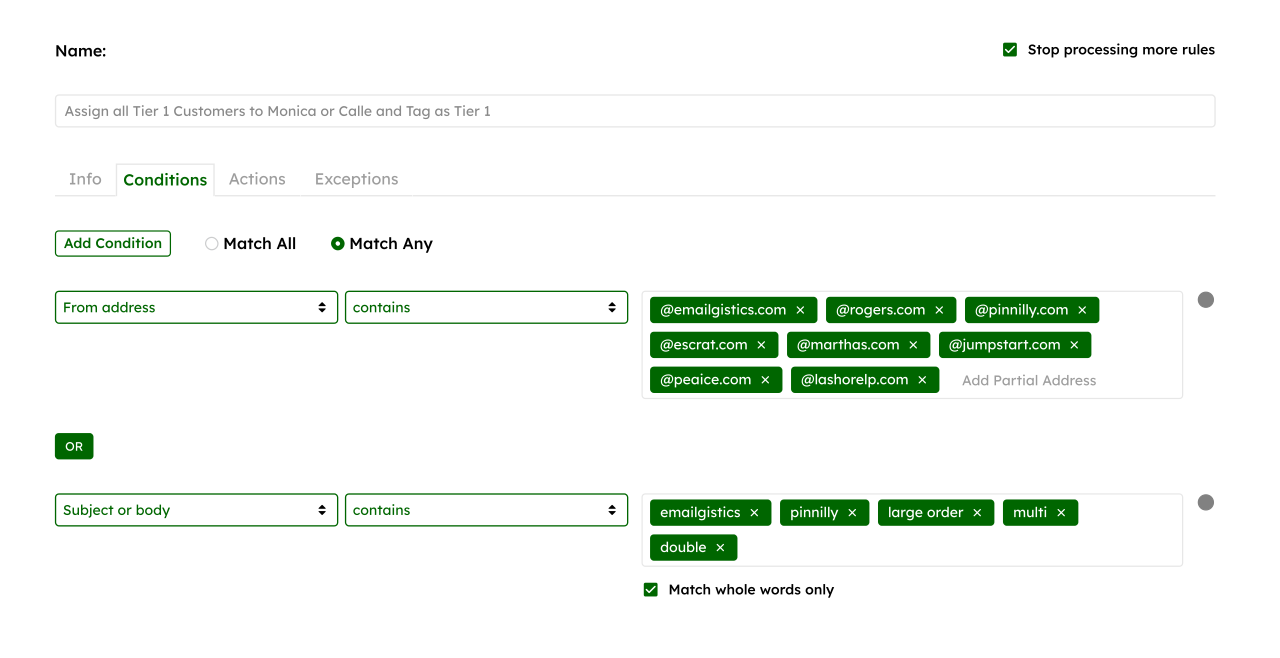
- Rules-based routing: Map inbound messages by domain, product, or keyword so the right owner gets them on arrival — no triage delays.
- Notes and history: Internal notes and full thread history stay in Outlook, so anyone can pick up mid-stream without asking the customer to repeat details.
- Templates for common inquiries: Centralized message templates in Outlook to let your team respond quickly and consistently to common requests.
- SLA timers & alerts: Timers start at assignment, nudging owners before deadlines slip; managers can reassign proactively.
- Manual assignment (for complex cases): Drag-and-drop to assign named accounts, escalations, or multi-stakeholder RFPs — useful when you need a specific owner, not automated distribution.
- Audit trail: Every handoff is tracked to a user and timestamp for accountability and clean post-mortems.
Outcome
Instead of idle submissions or conflicting replies, every RFP, RFQ, or pricing request is routed, tracked, and answered by the right person. Ownership is clear, duplication disappears, and quoting cycles speed up — all without leaving Outlook.
Scenario 2: Balancing workload in high-volume inboxes
Common obstacles
When demand spikes, requests pile unevenly — some of your reps are overloaded while others are idle. An insurance renewal rush, a retail seasonal order surge, or a post-expo flood of RFQs can overwhelm teams. Without visibility or fair distribution, easy requests get cherry-picked — even if some of the complicated requests are time-sensitive.
How Emailgistics helps
- Round-robin assignment: Distributes new requests to your team in turn, so there is fairness in distribution and response times remain consistent.
- Load-balanced assignment: Routes to the rep with the lightest queue in real time — ideal for surge periods.
- Capacity caps: Set a ‘max messages’ per user (e.g., 10 open quotes) so new work bypasses your overloaded reps.
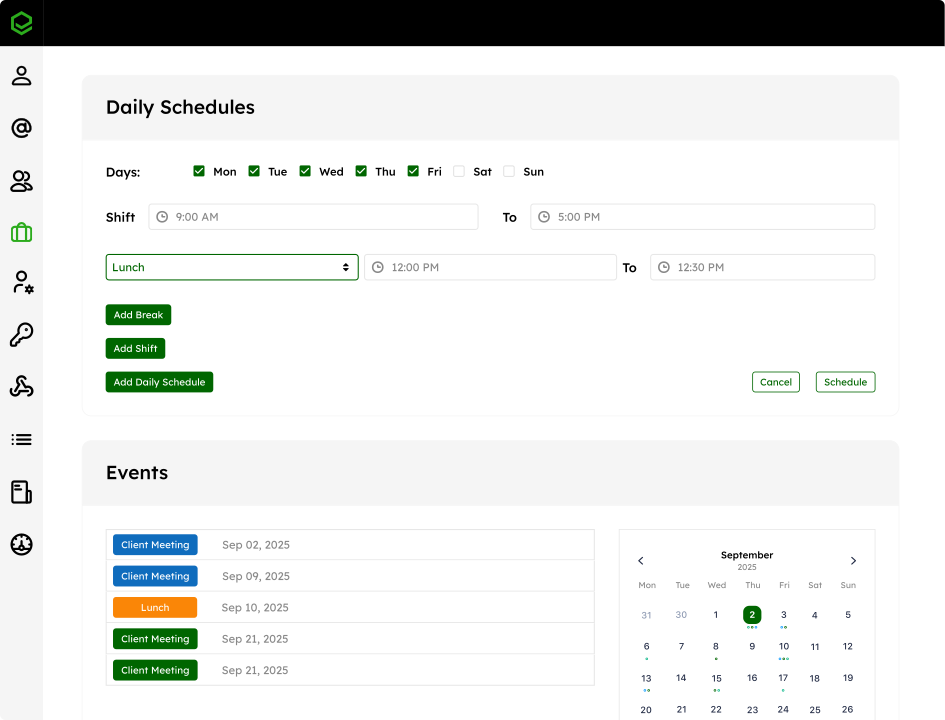
- Schedules & availability: Sync availability with work schedules so inbound work routes to active teammates; if someone is out of office, new requests are automatically rerouted to the team.
- Backup assignees & overflow rules: Route excess work to designated pools (e.g., neighbouring regional or Tier 2 quoting) to preserve SLAs during unpredictable spikes.
- Snooze & reminders: Pause non-urgent requests to stay focused on time-sensitive deals, with the email resurfacing at a set time for follow-up.
Outcome
Your team keeps turnaround times consistent — even at 100+ emails a day. Spikes from renewals, seasonal campaigns, or trade shows are spread evenly across staff, so nothing sits idle and no single rep burns out.
Scenario 3: Visibility into team performance
Common obstacles
Without clear data, sales ops team leads often struggle to coach and manage their teams effectively. Real-time analytics provide visibility into team performance, including where specific members are struggling to meet SLAs. Detailed conversation histories are also essential for gaining visibility into what individuals are working on and contextualizing support requests. Because none of these things are native to Outlook, many teams are operating in the dark.
How Emailgistics helps
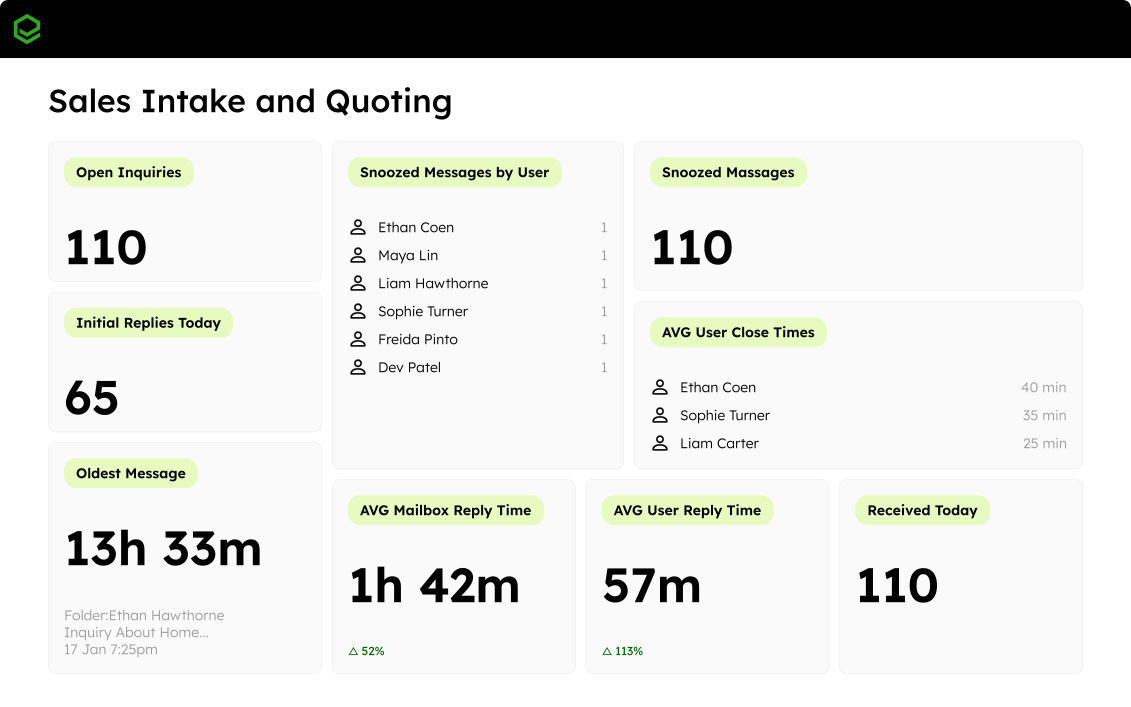
- Live dashboards: Refreshes every 60s, displaying response times, open counts, SLA compliance, and trend indicators — giving you a live view of quote health or pipeline risk.
- Role-specific views: Build dashboards for frontline leads, regional managers, or roll-ups across multiple inboxes, showing the metrics most relevant to your team.
- Historical reports (team & user): Track throughput and speed over time; drill from mailbox to user to message to identify performance trends.
- SLA alerts: Set SLA thresholds and get automatic nudges to flag at-risk emails before opportunities expire.
- Conversation history: Drill into full message details with comprehensive logging, so every action is traceable.
Outcome
Managers step in before deadlines are missed, while long-term reporting highlights where your quoting or intake processes break down. Over time, inbox metrics help you identify the correlation between revenue and sales, enabling your sales ops team to improve throughput and win rate.
Faster, smarter management of inbound opportunities
An unstructured, chaotic shared inbox goes beyond just an operational headache; it costs revenue. Emailgistics works natively inside Microsoft Outlook 365 as a certified Microsoft Partner, adding ownership, workload balance, and real-time visibility without forcing your team to learn a new platform.
Learn how you can bring structure to your Outlook shared mailbox. Get a personalized demo and try Emailgistics free for 14 days — no credit card required.
Related posts
- Shared inbox management for non-profits: what to prioritize on a lean budget
- Stop losing leads in a shared sales inbox: what's actually slowing down speed-to-lead
- How Tsubaki's Inside Sales Team Gained Speed, Accountability, and a Complete Audit Trail
- Best practices for managing high-volume shared mailboxes
- Common shared mailbox mistakes (and how to fix them)