


The anatomy of an effective email management dashboard

Without real-time data, customer service managers overseeing teams with shared inboxes are often left guessing: Are messages being picked up quickly? Is someone overloaded? Are we about to miss a critical SLA?
If you lack clear answers to these questions, you risk damaging your company’s reputation — and revenue. Missed service targets lead to frustrated customers, and ultimately, churn.
An email management dashboard gives you real-time visibility into inbox activity and performance. With granular insight, you can prevent issues before they escalate and ensure customers get the timely support they expect.
In this post, we’ll break down some of the challenges with gaining visibility in M365 shared mailboxes, how an email reporting dashboard can solve these challenges, and the features that make one effective.
The challenge with getting real-time visibility in M365 or an Outlook shared mailbox
Outlook is the email client of choice in many industries. But it lacks native analytics and tools for team inbox management. This makes it challenging to track and improve on critical metrics — like response times, message assignments, and SLA breaches — especially if you manage a team that’s operating within a shared mailbox environment.
Adding an email dashboard to Outlook lets you quickly see whether teams are approaching a bottleneck in their inboxes, as it happens. This kind of real-time visibility is mandatory for customer service teams, but it is also valuable for customer support teams working to maintain service levels and client-facing and business development teams, who need to ensure no opportunities slip through the cracks.
What makes an email dashboard “effective”?
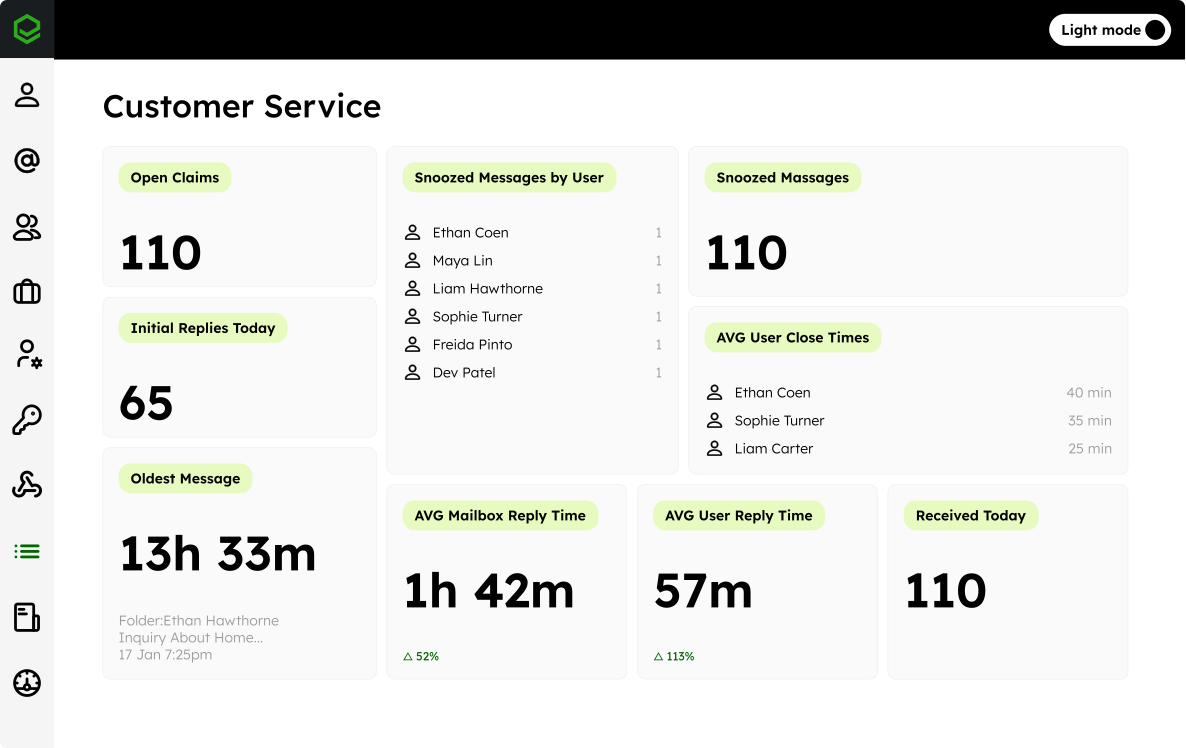
An effective email dashboard gives you a quick and digestible overview of the health of your inbox, helping you identify potential problems and act fast. Here are the key factors that make an email dashboard effective:
- Real-time data: An effective dashboard updates in real time, not just hourly or daily. Live metrics allow managers to spot issues — like message backlogs or SLA risks — as they happen.
- Customizable views: Different roles need different insights. The dashboard should be tailored to different users (e.g. managers, supervisors, individual agents) so they can see the metrics most relevant to their roles.
- Comprehensive metrics: The email reporting dashboard should cover all the key performance indicators that matter: response times, open and unassigned messages, user activity, and service level agreement (SLA) tracking. This gives a complete picture of mailbox performance.
- Intuitive design: The dashboard layout and visualizations should be clean, easy to interpret, and actionable. Users should be able to quickly glean insights without getting overwhelmed.
- Integrations: Data should easily sync to the dashboard from your existing platform — like Microsoft Outlook — without requiring manual exports. Native integration ensures data accuracy and user adoption.
- Proactive alerting: An effective dashboard lets you define thresholds — such as response time limits — and notifies you when things start slipping, so you can step in before customers are impacted.
- Drill-down capabilities: Your team should be able to dig into the details behind the high-level metrics, such as viewing individual team member performance.
**Six essential features every email dashboard should include **
1. High-level summary panel of team activity
Displays the key metrics that matter to your team's objectives, such as:
- Average team response time
- Average user reply times
- Number of open or closed messages today
- SLA compliance (reply and close times)
- Overall user activity (replies sent, messages closed)
Why it matters: A real-time summary gives you a quick pulse check on overall performance and inbox health. With live updates every minute, you can catch issues early and reallocate resources before problems escalate.
2. SLA monitoring****
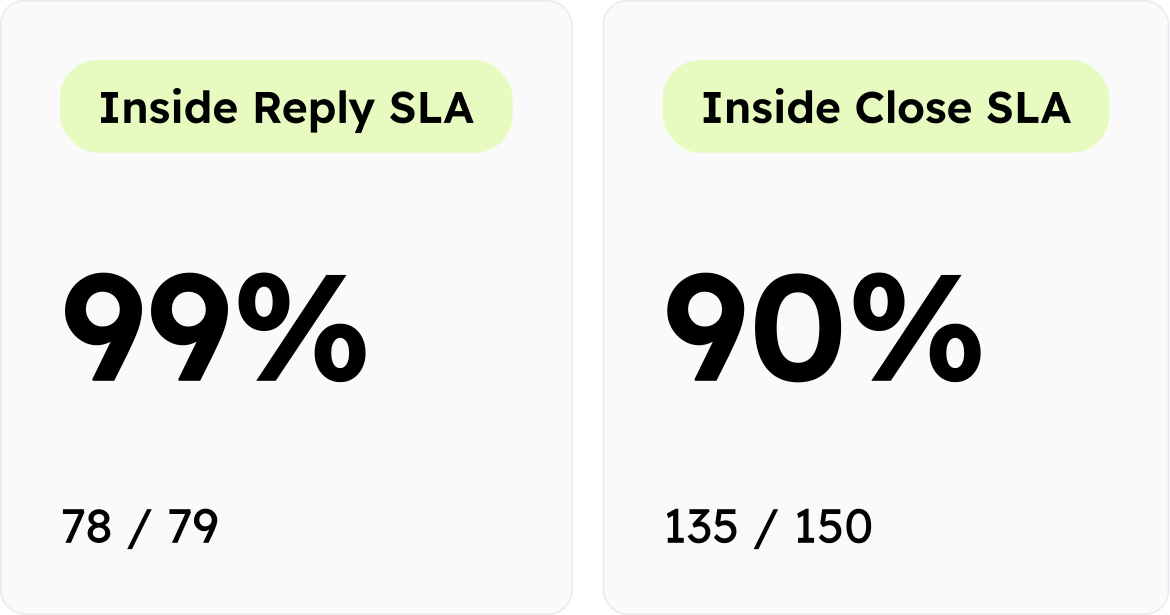
Tracks how quickly incoming messages are acknowledged and resolved against your predefined targets. The dashboard should let you compare current performance to your SLA goals and highlight when you’re falling short — whether at the individual or team level.
Why it matters: Real-time SLA visibility allows managers to intervene before targets are missed. Whether that means reassigning messages, adding temporary capacity, or setting auto-responses during peak times, SLA visibility helps protect both customer satisfaction and team performance.
If you don’t already have clear targets in place, our guide on crafting an effective SLA and reply time benchmark walks through how to define the right goals for your team.
**3. Volume monitoring **
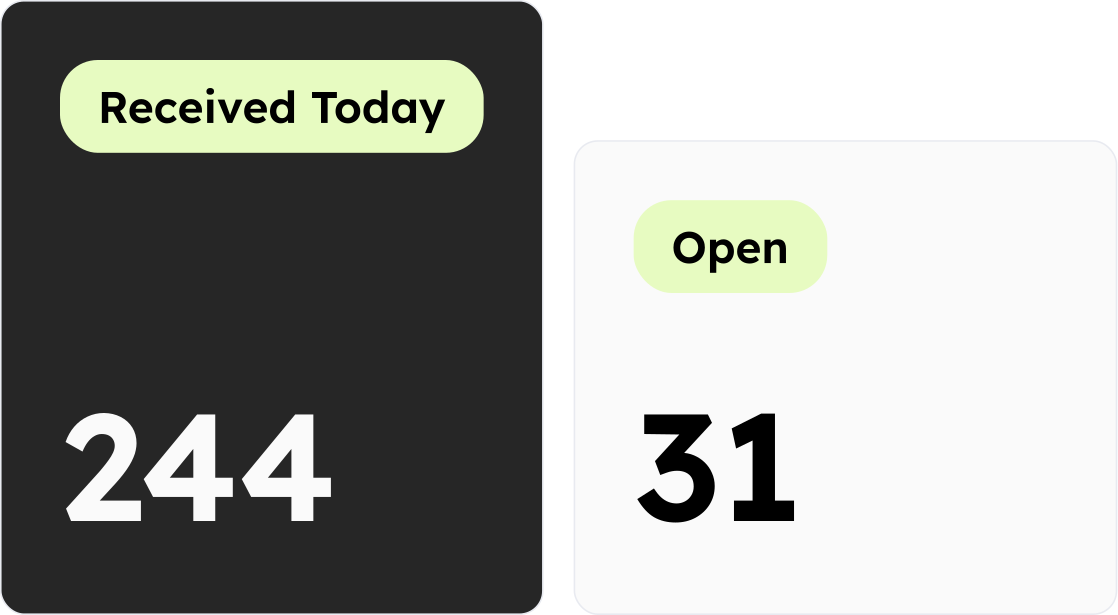
Monitors how many messages have been received, how many are still open, and how many remain unassigned. It should also surface backlog risks by showing the age of the oldest message still waiting for a response.
Some email metrics dashboards also display how many messages are snoozed — either by the team or by the individual users — so you can understand not only current volume but also where work is being deferred.
Why it matters: Gives you an instant sense of inbox pressure. Instead of manually checking folders, you can glance at the dashboard and act before workloads become unmanageable.
4. Individual performance tracking
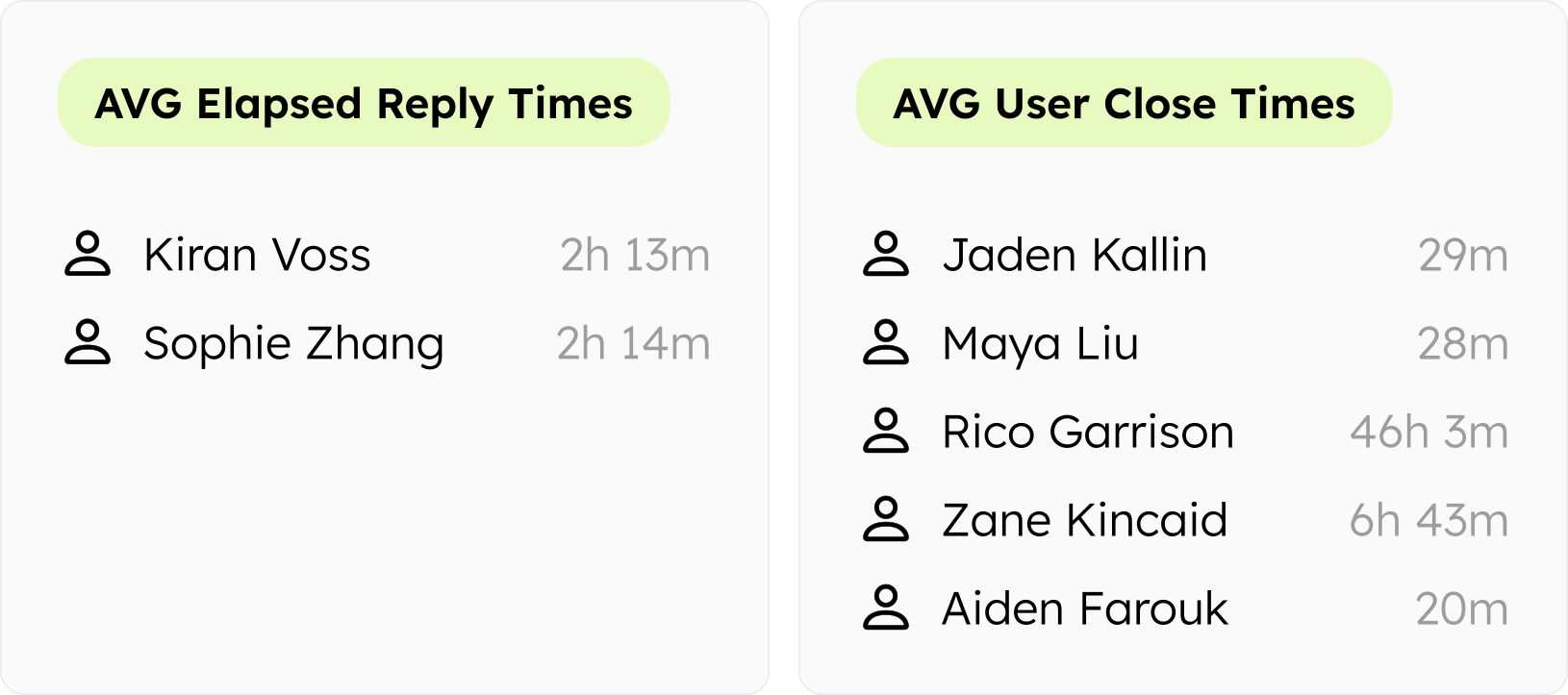
Shows how each team member is performing: How quickly are they responding? How many replies have they sent? Are they resolving conversations efficiently?
Why it matters: These user-level insights help you identify who might need support, who’s excelling, and where workflows might be improved. It also fosters transparency and accountability without micromanagement.
5. Workload balancing
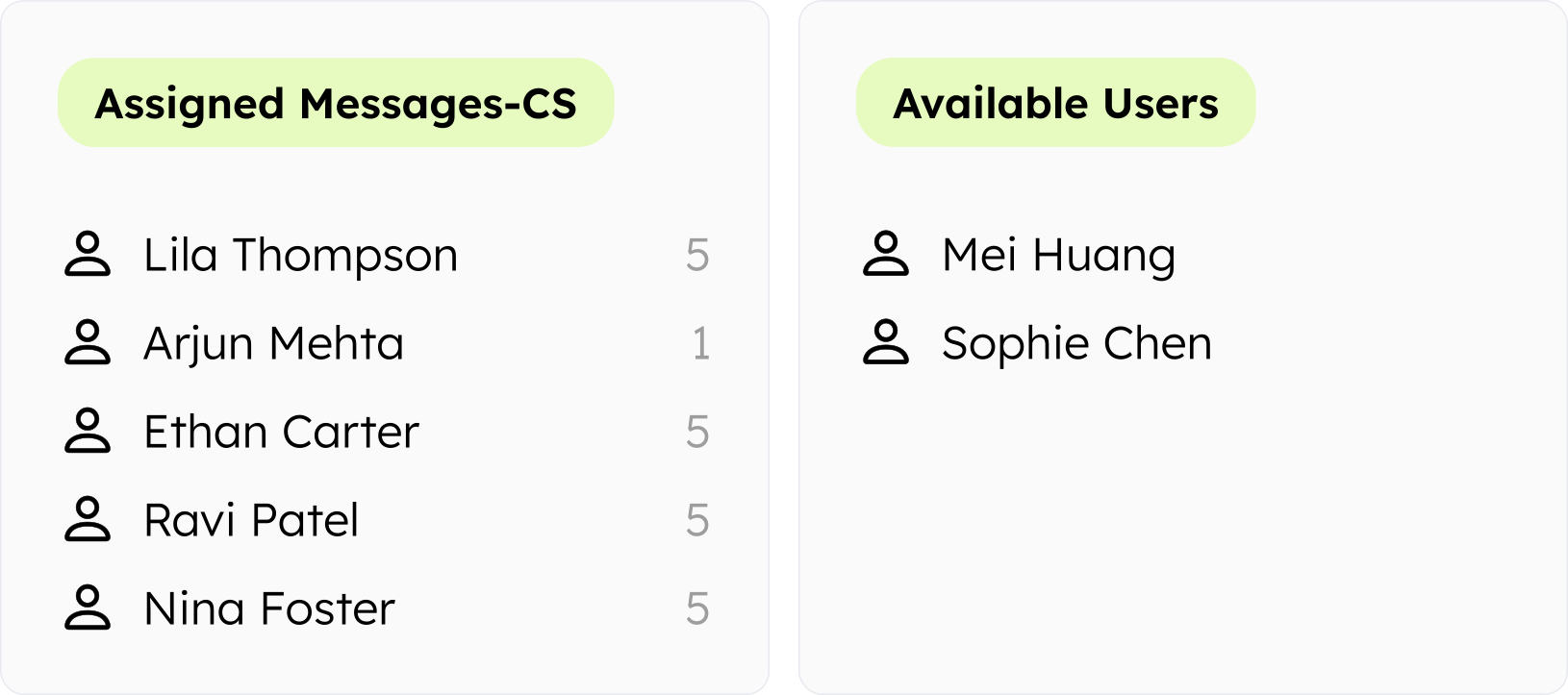
Displays how many messages are currently assigned to each user, along with their availability status. Makes it easy to spot gaps, like team members who are underutilized or at max capacity.
Why it matters: When work is unevenly distributed, service suffers. Real-time workload visibility allows for on-the-fly reassignments to ensure faster responses and protect team members from burnout.
6. Overdue message identification
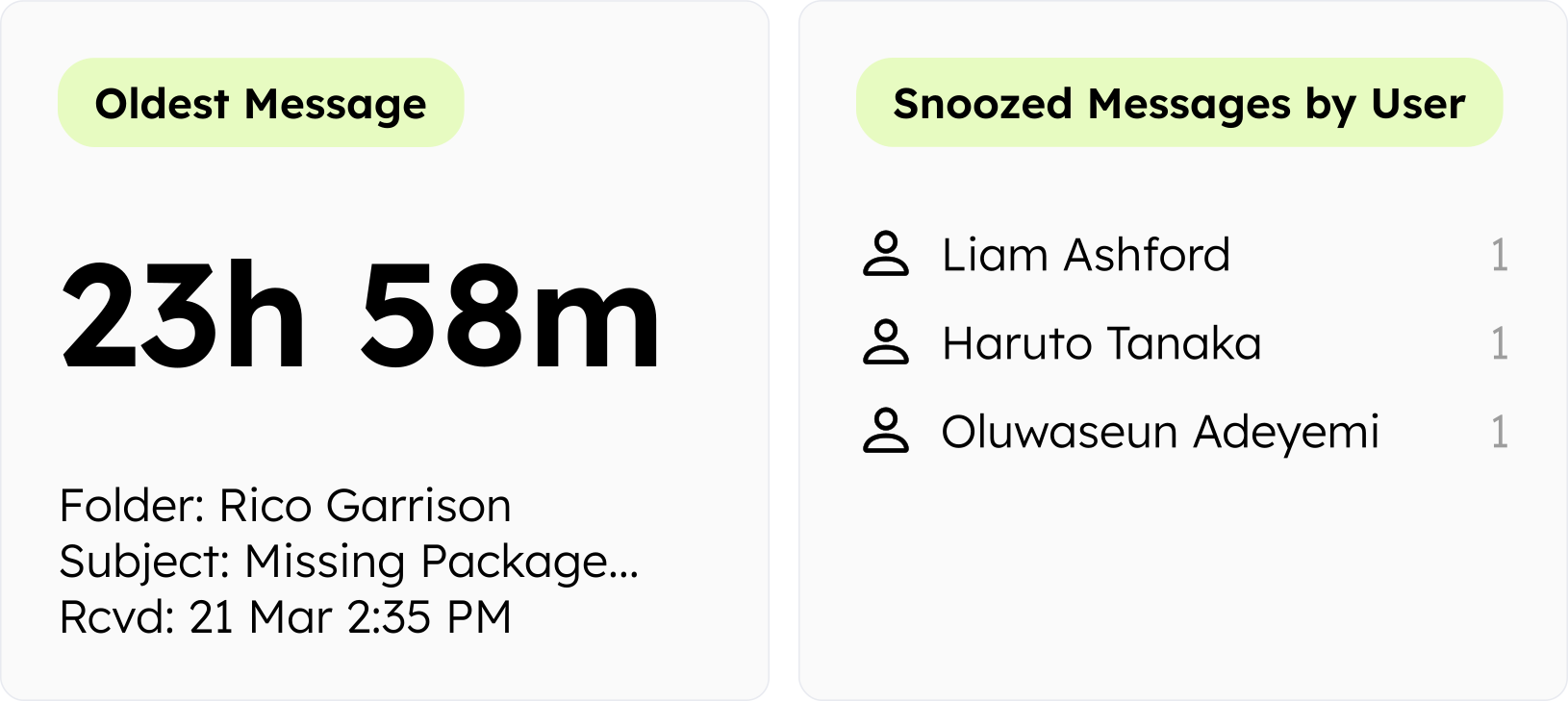
Highlights which messages are at risk of falling through the cracks. This includes the age of the oldest open message (regardless of assignment or reply status) and whether any messages are sitting snoozed or untouched for too long.
Why it matters: By surfacing at-risk messages, dashboards help your team avoid missed follow-ups and frustrated customers. The “oldest message” metric in particular is a simple but powerful way to see, at a glance, if anything urgent has been left waiting too long.
Dashboards vs. reports: Why real-time matters
Dashboards are built for the present. They update automatically in real time (or near real time), to give you a live view of inbox health and team performance. Instead of waiting until the end of the week to discover that SLA targets were missed, you can see issues unfolding in real time — and fix them before they impact customers.
Reports are great for understanding what happened in the past — for example, reviewing last month’s response times or measuring SLA compliance over a quarter. They don’t allow you to triage or react to issues in real time, but they are great for spotting overall trends and tracking improvements or issues over time.
A good email management platform should have both. Dashboards help you manage the day-to-day and quickly solve problems that hurt customer experience, while reports help you find and fix systemic issues and report month-over-month improvements to C-suite leaders.
Emailgistics dashboard overview
Designed for teams using Microsoft 365, the Emailgistics dashboard provides live insights into shared mailbox activity — something Outlook doesn’t offer natively. The dashboard refreshes every 60 seconds and gives managers instant visibility into team performance and inbox health without having to manually dig through folders or sent items.
You can customize your dashboard to display the metrics you care about most. Most customer service teams like to see average reply times, SLA compliance, open message volume, and team member availability.
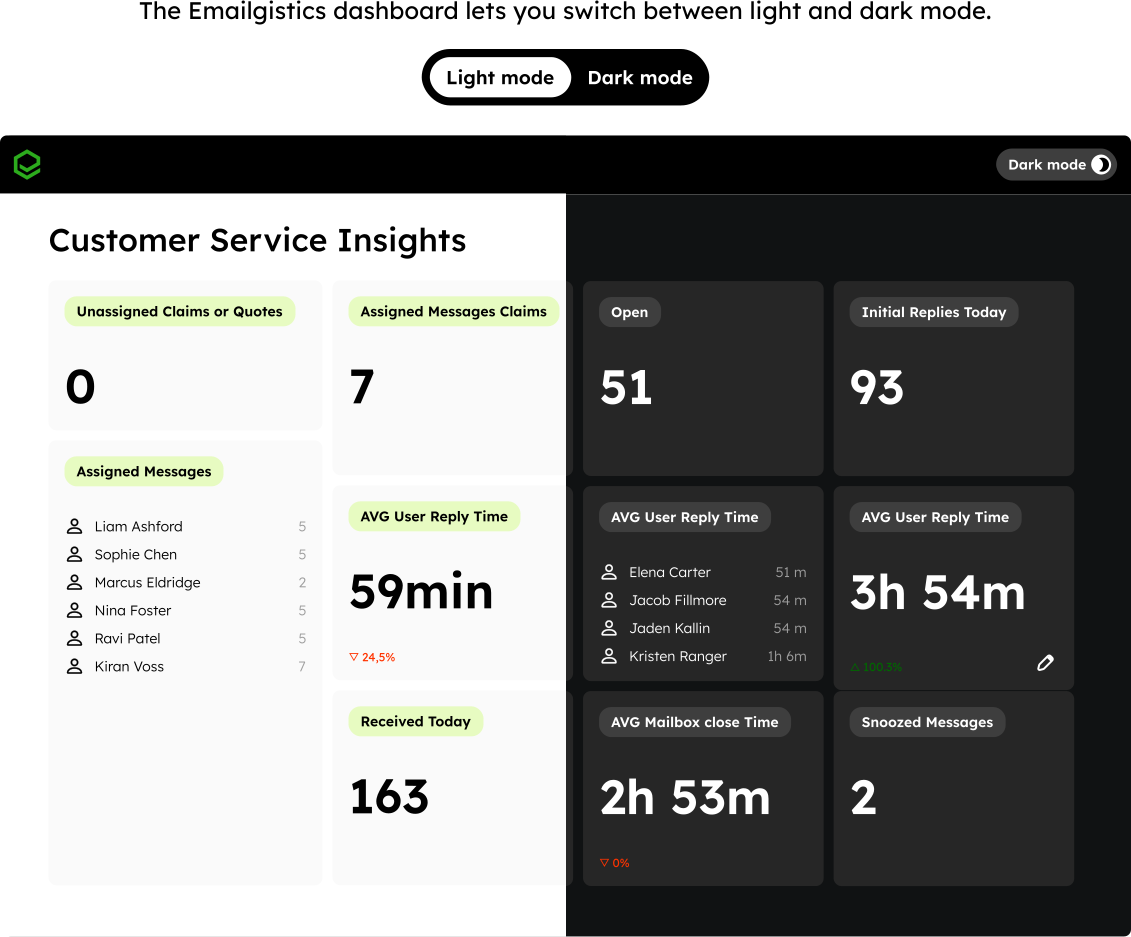
You can also build multiple dashboards with layouts tailored to different roles — giving team leads a focused look at SLA performance for their team, while simultaneously giving the C-suite a bird’s-eye view of all open issues across departments.
End users can also see individualized stats, including average reply times and assigned messages. This can foster improved accountability and facilitate more productive performance evaluations. Many teams use this data to recognize achievements and motivate high performance.
Acquis improves SLA tracking with dashboard metrics

Acquis previously had no dashboard in their ticketing system, making it difficult to see SLAs at a glance or track inbox performance in real time. As a provider of insurance products and services to the European finance and leasing industry, their customer service team faced the added challenge of manually assigning all emails from one central inbox — often handling high volumes in 22 languages.
With the Emailgistics dashboard, they can now monitor SLA times and receive alerts if an email goes unanswered for 12 hours.
“I can easily see how long the oldest email has been sitting and how many emails have been received today without having to pull multiple different reports.”
– Mariana, Operations Manager at Acquis
Read the full story of how Acquis increased productivity, visibility, and ease of access to information.
Emailgistics dashboard: Insights at your fingertips
Research indicates that improving customer experience can increase sales revenue by 2–7%. An effective email management dashboard makes that improvement possible by ensuring no message is missed, workloads stay balanced, and service levels are consistently met.
The Emailgistics dashboard provides your team with live performance metrics, SLA tracking, workload distribution, and more — updating every 60 seconds. Your dashboard gives you a more complete (and more accurate) picture of team performance than Microsoft 365 alone can provide, without the complexity or cost of a custom solution.
This real-time visibility empowers managers to make smarter, faster decisions while giving individual team members the feedback they need to improve.
Want to see the dashboard in action? Book a demo and try Emailgistics free for 14 days.
Related posts
- Using SLA tracking in shared mailboxes
- 7 Customer Service Metrics Every Insurance Leader Should Track
- Why customer support teams miss SLAs in a shared inbox (and how to fix it)
- How Specsavers Keeps Ecommerce Customer Service Consistent Across Two Countries
- Avoid SLA breaches: Tools and tactics for managing shared inboxes effectively